Loading…
Creator · MotionSites
View original source ↗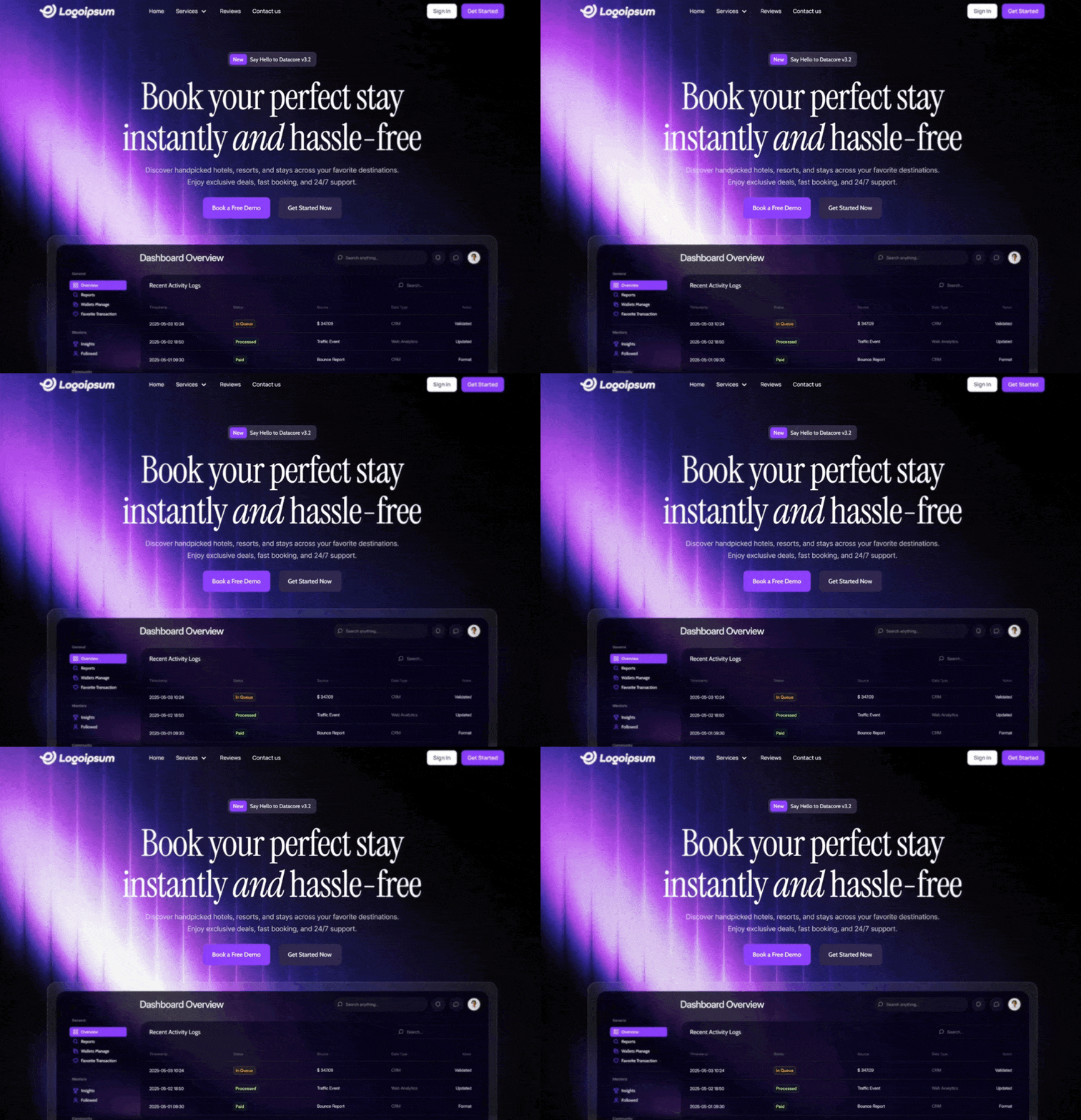
Prompt
Create a responsive, full-screen hero section for a web application using React and Tailwind CSS.

Design System & Assets:

Fonts: Load and use 'Manrope' (for UI/Nav), 'Cabin' (for buttons/tags), 'Instrument Serif' (for headlines), and 'Inter' (for body text).

Primary Color: Purple #7b39fc
Secondary/Dark Color: Dark Purple #2b2344
Background: Use a full-screen, absolute-positioned HTML5 video background. The video should autoplay, loop, mute, and play inline. Ensure it covers the viewport (min-h-screen, object-cover) without an overlay (keep it opaque).

Video URL: https://d8j0ntlcm91z4.cloudfront.net/user_38xzZboKViGWJOttwIXH07lWA1P/hf_20260210_031346_d87182fb-b0af-4273-84d1-c6fd17d6bf0f.mp4

1. Navbar Component (Top Overlay)

Layout: Full width, transparent background, z-20 relative positioning.
Padding: px-6 (mobile) to px-[120px] (desktop), py-[16px].

Logo (Left): Use this specific SVG path filled with white:
Path: M1.04356 6.35771L13.6437 0.666504... (Future logo shape).

Navigation Links (Center-Left, Desktop Only):
Items: "Home", "Services" (with a ChevronDown icon), "Reviews", "Contact us".
Style: Manrope font, Medium weight, 14px size, White.
Hover effect: opacity-80.

Action Buttons (Right, Desktop Only):
Sign In: White background, thin gray border (#d4d4d4), rounded 8px, Black text (#171717), Manrope Semibold 14px.
Get Started: Primary Purple background (#7b39fc), rounded 8px, White text (#fafafa), Manrope Semibold 14px, subtle shadow.

Mobile: Hide links/buttons and show a White Menu icon (hamburger) that toggles a full-screen black overlay menu.

2. Hero Content (Centered)

Container: Centered vertically and horizontally (flex-col items-center text-center), z-10 relative, top margin mt-32.

Tagline Pill:
Style: Glassmorphism effect (bg-[rgba(85,80,110,0.4)], backdrop-blur, border rgba(164,132,215,0.5)).
Shape: Rounded 10px, Height 38px.
Content: A small inner badge (#7b39fc bg, rounded 6px) saying "New" followed by text "Say Hello to Datacore v3.2".
Font: Cabin, Medium, 14px, White.

Headline:
Text: "Book your perfect stay instantly and hassle-free".
Typography: Instrument Serif font, White.
Size: 5xl (mobile) to 96px (desktop).
Styling: Line-height 1.1. The word "and" should be italicized with specific spacing.

Subtext:
Text: "Discover handpicked hotels, resorts, and stays across your favorite destinations. Enjoy exclusive deals, fast booking, and 24/7 support."
Typography: Inter font, Normal weight, 18px.
Color: White with 70% opacity (text-white/70).
Width: Max width 662px.

Call to Action Buttons (Row):
Button 1: "Book a Free Demo" — Primary Purple (#7b39fc), rounded 10px, Cabin Medium 16px, White.
Button 2: "Get Started Now" — Dark Purple (#2b2344), rounded 10px, Cabin Medium 16px, Off-white (#f6f7f9).
Hover effects: Slightly lighten backgrounds on hover.
Models & stability
Recommended models
Keep exploring

A webpage case by @Oluwaphilemon1 using Claude Fable 5 · Three.js · Blender · GSAP, including the public result, full prompt, and original source.
Prompt
Claude Fable 5 and GPT-5.6 are powerful🥵🥵🥵 Here Is How I built with Claude 👇 Prompt: "Design an agency site where services are presented as supermarket product packaging in 3D" Use Three.js with WebGL to render al
复制这段 TSX 组件源码,交给 Cursor、v0、Claude 等 AI 编程工具,说明这是「3D Animated Pin」的 Aceternity UI 组件实现,即可让它接入你的 React 项目,再按需替换文案、配色与触发参数复用。
Prompt
// components/ui/3d-pin.tsx "use client"; import React, { useState } from "react"; import { motion } from "motion/react"; import { cn } from "@/lib/utils"; export const PinContainer = ({ children, title, href, className, containerClassName…

一个复杂的提示词,用于利用 Three.js 风格优化和逼真光照,在浏览器中生成精细的实时 3D 森林环境。
Prompt
First search for the "/unlazy" skill, read it fully, and use it throughout the entire task. Treat this as a major visual build lasting at least {argument name="minimum duration" d

