Loading…
Creator · ai_lifehack55
View original source ↗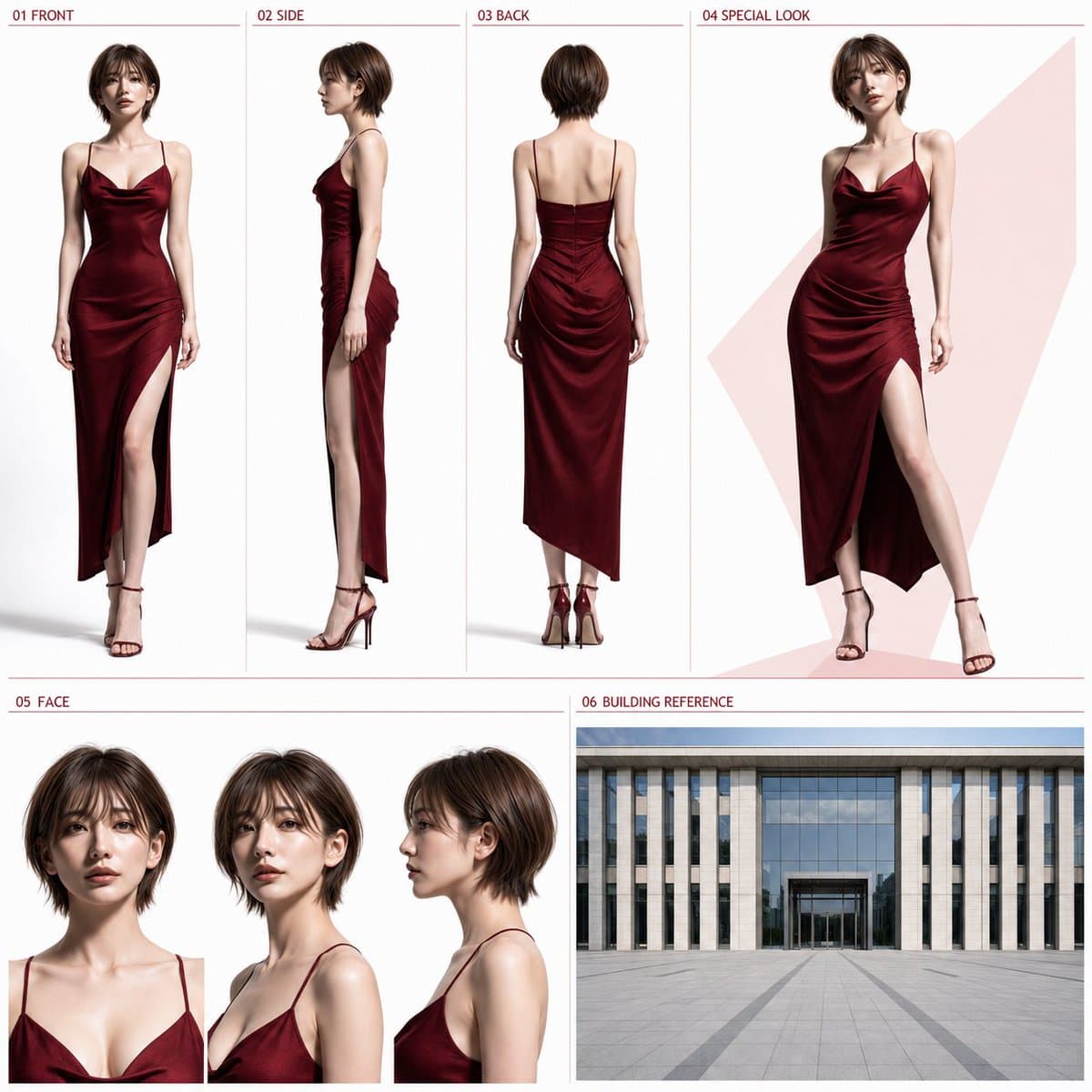
Prompt
【Input Items】
Outfit type: [{argument name="Outfit type" default="Business / polished date outfit"}]
Color direction: [{argument name="Color direction" default="Navy / red"}]
If left blank, use “Business” and “Navy.”

【Reference Used】
One full-body reference image attached together with this instruction sheet.

【Main Text】
Use the one attached full-body reference image as the only character reference, and create one high-quality photorealistic character sheet in a 1:1 square format. If the reference image is photorealistic, maintain the same person. If it is a character illustration, convert it into a natural photorealistic person while preserving the character traits. Preserve the referenced person’s facial features, hairstyle, hair color, age impression, skin tone, gender impression, apparent height, head-to-body ratio, body type, and full-body proportions. Do not beautify, make younger, make older, change the body type, or turn them into a different person. In principle, only the outfit and shoes should be changed.

【Outfit】
Naturally adapt the specified outfit type to the referenced person’s gender, age impression, and body type.
・Business
A modern, clean business style. Include a jacket, and make it neat, practical outdoor clothing.
・Polished date outfit
Elegant, slightly glamorous outdoor clothing suitable for a date at a restaurant or in the city. The outfit should make the full body shape easy to see. Avoid uniforms, overly formal attire, excessively long hems, large decorations, complex layering, and brand logos.

【Color Scheme】
Use the specified color as the main color or central color of the outfit. A small number of auxiliary colors such as white, ivory, gray, and black may be added, but do not make it multicolored.
・Navy: centered on deep navy
・Red: centered on deep red, bordeaux, or wine red

【Overall Layout】
Use a two-tier composition, with the upper tier occupying about 58% and the lower tier about 42%. Do not change the basic placement, order, or proportions.

【Upper Tier: About 58%】
01 FRONT: 22%
02 SIDE: 22%
03 BACK: 22%
04 SPECIAL LOOK: 34%
01–03 should be full-body views at the same scale, fully showing the figure from the top of the head to the toes. Keep apparent height, head-to-body ratio, body type, outfit, shoes, and camera distance consistent. Use a natural upright posture, and do not let the arms or hands hide the body type or outfit.
・01 FRONT: front full body
・02 SIDE: full body from exact side view
・03 BACK: back full body

【04 SPECIAL LOOK】
A larger full-body 3/4 view of the same person in the same outfit as 01–03. Use a still pose with light movement and a natural expression that best conveys the character’s appeal. Only behind 04, a simple flat color or restrained geometric color plane using the specified color lightly may be placed.

【Lower Tier: About 42%】
Use the left 62% for 05 FACE and the right 38% for 06 BUILDING REFERENCE.

【05 FACE】
Arrange three face views, front, diagonal 3/4, and side, in a horizontal row with the same size, same camera distance, and same head position. All three should have natural normal expressions and make the facial features, eyes, contours, bangs, hairstyle, and age impression easy to confirm.

【06 BUILDING REFERENCE】
Use the entire 06 area as one wide-angle exterior image where the building front, entrance, and outdoor plaza structure can be confirmed in a single composition. Do not reflect the outfit type or color direction in 06. Make it a neutral building reference, unaffected by the person’s outfit color, the theme color of 04, or the accent colors of the overall sheet. Depict a clean, modern building front and automatic glass entrance as seen from a broad outdoor plaza, under bright, even natural daylight. Do not add night scenes, sunset scenes, warm lighting, illumination, strong color-tone effects, or staging that strongly suggests a specific use such as a hotel, restaurant, or office. Do not subdivide the inside of 06 either; compose it as one single image from one single viewpoint. Do not create a collage, multiple views, vertical splits, or paired angles. Compose it with one continuous exterior wall, one ground floor, one continuous ground surface, one building front, and one clearly defined entrance. Clearly depict either a left-right sliding automatic glass entrance or a revolving automatic glass entrance, and do not mix different entrance structures.
Use the lower about 30–40% of the 06 area as a continuous outdoor plaza, and the upper about 60–70% as the building front. Place the entrance only once at the lower center, with the entrance width around 20–30% of the entire 06 area as a guide. Use a wide-angle composition where the straight path toward the entrance is clear and the proportions of the building, ground, and entrance look natural. Do not include a close-up display of only the entrance, an overly distant full view where the entrance cannot be identified, multiple entrances, vertically duplicated building fronts, double ground surfaces, complex stairs or terraces, people, cars, or signs.

【Headings】
Use only the following short English labels.
01 FRONT
02 SIDE
03 BACK
04 SPECIAL LOOK
05 FACE
06 BUILDING REFERENCE
Place each heading at the upper left of its corresponding area, in a small, unified typeface, without overlapping important parts of the person or building. The specified color may be used subtly for the headings and thin dividing lines.

【Common Design】
Except for 06 BUILDING REFERENCE, the sheet background should be white to very light gray. Ensure sufficient margins so the person and each area do not overlap, and create an organized, refined design that can be shared as a standalone image. The character display should include only the specified four full-body views and three face views, and all should maintain the same person and same outfit as the reference image. Do not include thick frames, excessive decoration, long explanatory text, dialogue, subtitles, logos, brand names, or watermarks.Models & stability
Recommended models
Independent retest evidence
Sep 2, 2026

The requested model is recorded, but the generation receipt did not expose a verifiable underlying model ID.
Aug 9, 2026

The requested model is recorded, but the generation receipt did not expose a verifiable underlying model ID.
Keep exploring
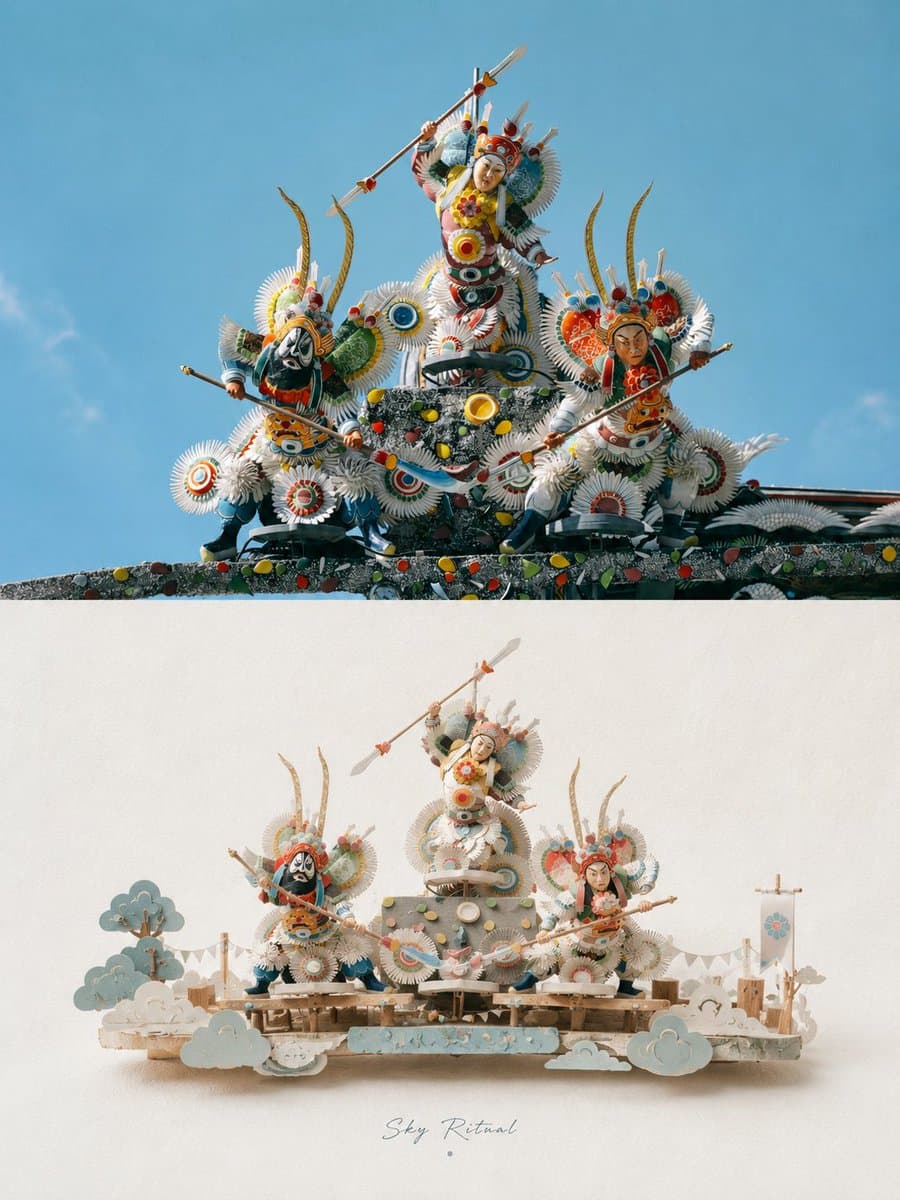
A refined prompt for transforming uploaded photos into premium vertical posters, featuring realistic photography in the upper half and a stylized 3D paper-craft miniature scene in the lower half.
Prompt
Please turn each photo I upload into a separate premium poster design. Do not create multi-image collages; output each photo individually. Use an overall 3:4 vertical composition, with the upper and lower sections in a strict 1:1 height rat
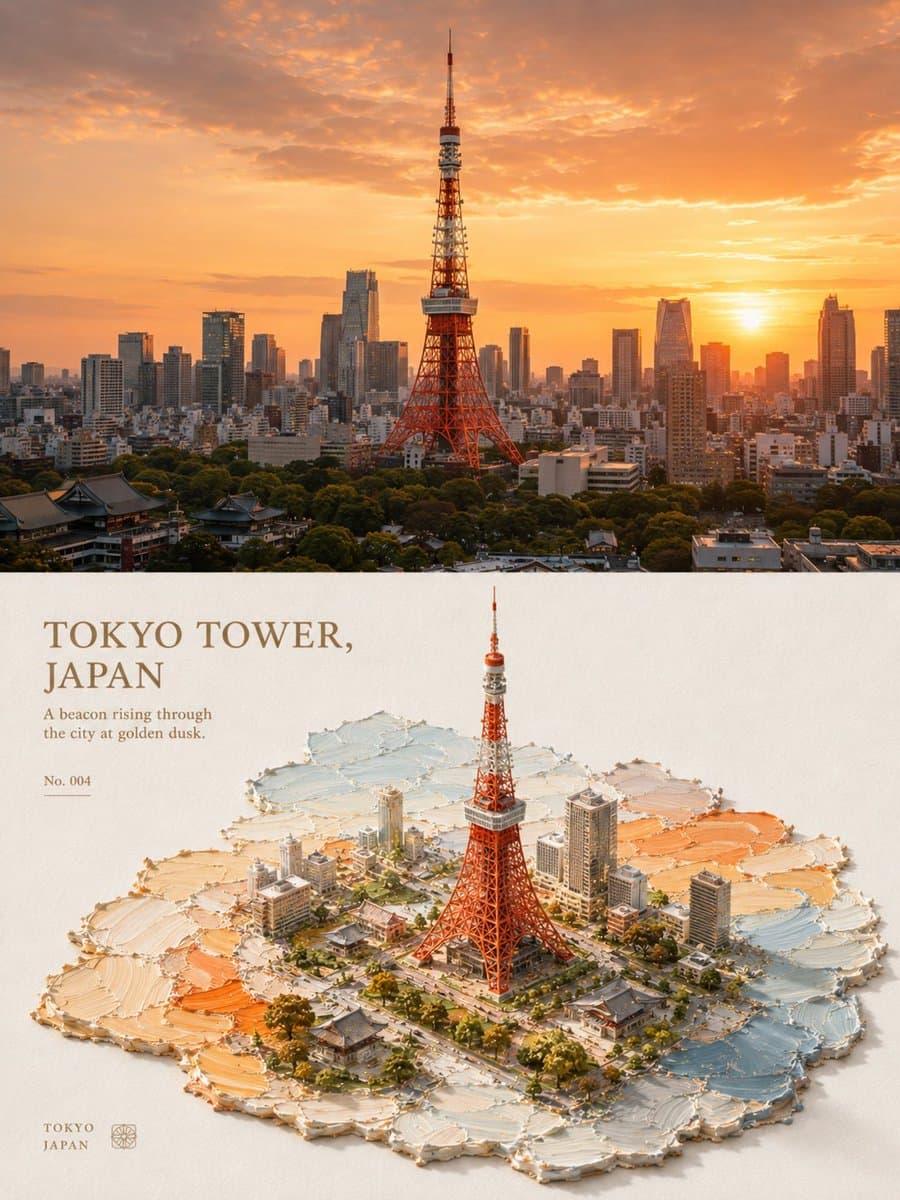
An aesthetic prompt that transforms photos into 3D isometric miniature landscapes using impasto oil painting and palette-knife techniques, creating a richly tactile, handcrafted texture on paper.
Prompt
Please turn each photo I upload into a separate premium design poster. Do not combine multiple images; output each photo individually. Use an overall 3:4 vertical composition, divided into upper and lower sections with a strict 1:1 height r

A detailed 3D CG render depicting an oriental fantasy girl with long mint-green hair, using high-quality PBR materials, with a dreamy garden background.
Prompt
9:16 vertical format, high-precision 3D CG oriental fantasy sweet-cool girl character poster, 3D CG oriental fantasy girl character portrait, anime-style 3D CG character art, semi-realistic 3D character render, full body portrait. The main


