Loading…
Creator · ai_lifehack55
View original source ↗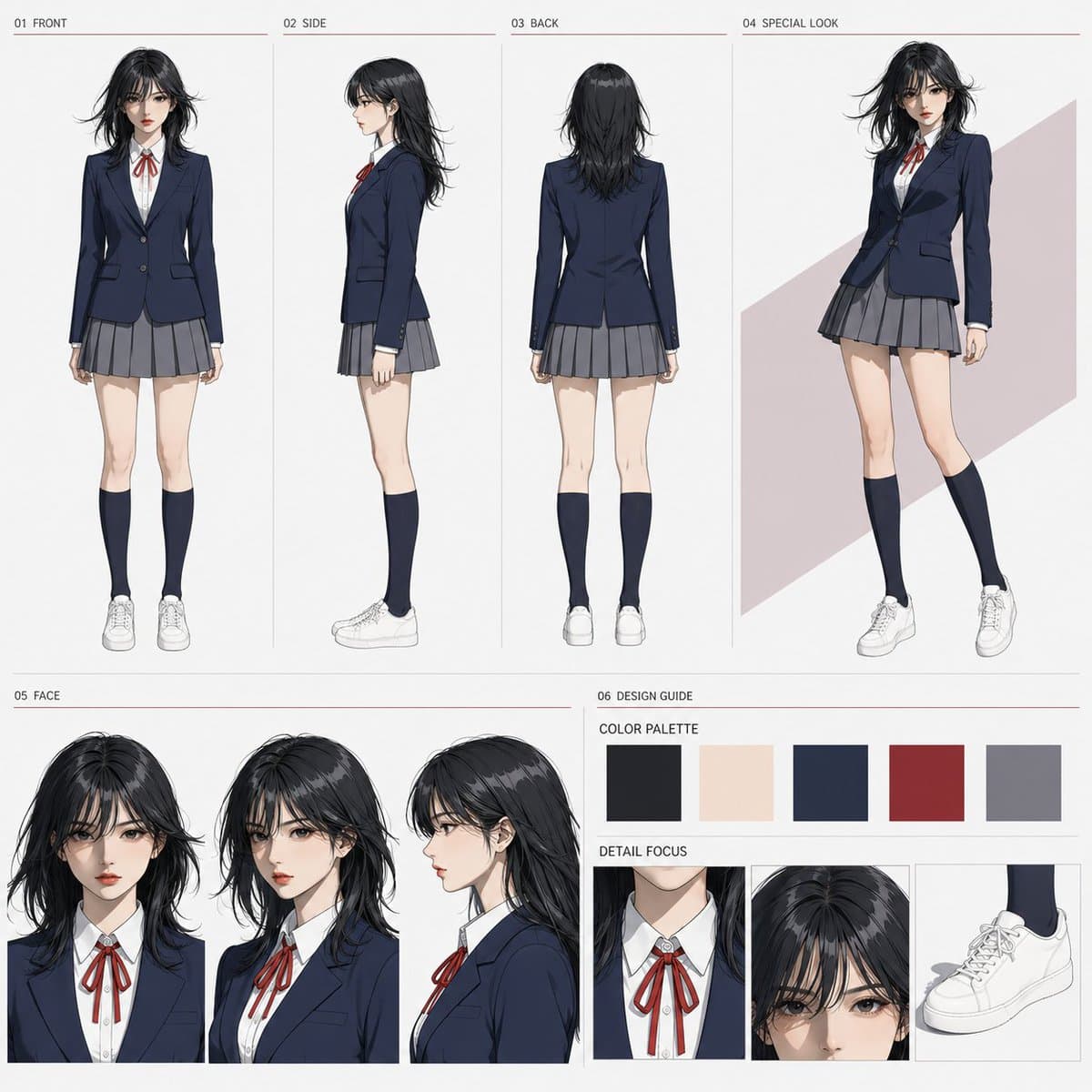
Prompt
Use reference:
{argument name="reference image" default="one full-body reference image attached together with this instruction sheet"}
Supports either a live-action person or an illustrated person.

Main text:
Use the single attached full-body reference image as the only person reference, and create one simple 1:1 square character sheet for sharing and video reference. Make it visually polished enough to be published as a standalone image, while also serving as a person-locking sheet where the reference person’s face, hair, age impression, body type, uniform, and color scheme can be checked. Do not include different people, and maintain all person depictions as the same person as the reference subject. Do not make it a storyboard.

[Scope of Reference Image Application]
For a live-action reference, convert it into a high-quality theatrical anime style while preserving the reference person’s traits. For an anime or illustration reference, finish it in a high-quality theatrical anime style while preserving the reference person’s traits. Inherit the facial features, eyes, facial outline, bangs, hairstyle, hair color, age impression, skin impression, body type, head-to-body ratio, and full-body proportions from the reference image. Preserve whether the hair is tied or down, the tie position, parting, hair length, and locks around the face exactly as in the reference image. Do not inherit the outfit, shoes, accessories, props, outfit color scheme, background, or pose from the reference image. Do not leave the reference outfit’s shape, material, decorations, or shoes in the finished image; change them completely into the uniform specified in this instruction sheet.

Use a full-body reference image where the subject can be checked from the top of the head to the toes, and most of the body is not hidden.

[Body Type Lock]
Preserve the reference image’s head-to-body ratio, head size, neck length, shoulder width, ribcage, torso length, hip position and width, arm and leg length, knee position, thigh-to-lower-leg ratio, slenderness and body volume, and full-body silhouette. Limit anime conversion to changes in line, color, shading, and texture; do not redesign the skeleton, body dimensions, or body proportions. Do not make the face smaller, legs longer, torso shorter, shoulder width or hip position different, waist more emphasized, chest or hips exaggerated, body slimmer, body childlike, or changed to a different model body type.
In all of 01 FRONT, 02 SIDE, 03 BACK, and 04 SPECIAL LOOK, maintain the same head-to-body ratio, skeleton, body proportions, and body volume. Draw the full-body displays with standard natural perspective and the same viewpoint height. Do not use wide-angle perspective, strong perspective exaggeration, extreme high angle, or extreme low angle.

[Expression]
High-quality theatrical anime style. Make it bright, clean, organized, and refined, so the character’s appeal comes through even as a standalone image for sharing. Do not make it look like cheap TV anime, mass-produced NPC art, game standing art, 3D CG, or a simple filter applied to a live-action photo.

[Specified Outfit]
Regardless of the outfit in the reference image, change it to {argument name="uniform style" default="navy blazer, white shirt, thin red ribbon, gray pleated skirt, dark knee-length socks, and white-based sneakers"}.
In all four full-body displays, 01 FRONT, 02 SIDE, 03 BACK, and 04 SPECIAL LOOK, maintain the same uniform, same color scheme, same length, and same shoes.
04 SPECIAL LOOK must not be an outfit change; make it a full-body 3/4 view wearing the same uniform.
The blazer, white shirt, and red ribbon visible in 05 FACE must also have the same design and color scheme as in the full-body displays.
Do not let the outfit change the reference person’s body type or full-body proportions. Do not include a school emblem, brand logo, excessive frills, or idol-costume-style decorations.

[Fixed Layout]
The whole sheet should be a two-tier layout: upper tier 58%, lower tier 42%. The background is plain white to very light gray. Ensure enough margins so the character and each element do not overlap. Do not change the basic tier structure, placement, order, or proportions.

[Upper Tier: About 58%]
Divide the upper tier horizontally into four sections using the following proportions.
01 FRONT: 22%
02 SIDE: 22%
03 BACK: 22%
04 SPECIAL LOOK: 34%
01 FRONT, 02 SIDE, and 03 BACK must be full-body displays with the entire body visible from the top of the head to the toes.
01 FRONT is a full-body front view seen straight from the front; 02 SIDE is an accurate 90-degree side view; 03 BACK is a full-body back view seen directly from behind.
Align 01-03 with the same apparent height, head-to-body ratio, body type, outfit, camera distance, and viewpoint height. Use a natural upright posture, with both arms lowered at the sides so they do not hide the body type or uniform.
04 SPECIAL LOOK is a full-body 3/4 view larger than 01-03. The character wears the same uniform, with a still pose that has light movement and a natural expression, conveying the character’s appeal for sharing. Do not make it a story action such as running, jumping, or fighting.
Only behind 04, you may place a simple refined flat color or modest geometric color field using a light accent color chosen from the specified uniform’s color palette. Do not include scenery, buildings, interiors, roads, story scenes, or time progression.

[Lower Tier: About 42%]
Divide the lower tier into 05 FACE on the left 62% and 06 DESIGN GUIDE on the right 38%.

[05 FACE]
Place three face views, front, diagonal 3/4, and side, in a horizontal row at the same size. Align all three with the same camera distance, same face size, and same head position. Use natural neutral expressions that make it easy to check the facial features, eyes, facial outline, bangs, hairstyle, hair color, and age impression. These are not expression variants; they are views for checking the same person’s face and hairstyle from three directions.

[06 DESIGN GUIDE]
Make the upper 40% COLOR PALETTE and the lower 60% DETAIL FOCUS.
In COLOR PALETTE, arrange the five main colors based on the reference person and the specified uniform as neat color swatches: hair color, skin color, navy blazer, red ribbon, and gray skirt. Do not bring colors from the reference image’s outfit or props into the color palette. Show the white shirt and white sneakers inside DETAIL FOCUS.
DETAIL FOCUS consists of three equal-sized sections.
Left: white shirt collar and red ribbon
Center: bangs and hairline
Right: white-based sneakers
All should be based on the specified uniform and character design, and should not recreate the reference image’s outfit, shoes, or accessories.

[Headings]
Use only the following short English headings.
01 FRONT
02 SIDE
03 BACK
04 SPECIAL LOOK
05 FACE
06 DESIGN GUIDE
COLOR PALETTE
DETAIL FOCUS
Place each heading at the upper left of its corresponding area in a small, consistent typeface and size. Do not overlap headings with the character’s face, hair, body, or outfit. The headings and thin divider lines may use a restrained accent color matched to the red ribbon of the specified uniform.

[Prohibitions]
Do not add any person displays other than the specified four full-body displays, three face displays, and three DETAIL FOCUS close-up parts. Do not leave the reference image’s outfit, shoes, accessories, props, or outfit color scheme in the finished image. Do not change the person’s face, hairstyle, body type, head-to-body ratio, or uniform between displays. Do not include backgrounds, scenes, or events unnecessary for locking the person. Do not include thick frames, excessive decoration, long explanatory text, dialogue, subtitles, logos, or watermarks.Models & stability
Recommended models
Independent retest evidence
Sep 2, 2026

The requested model is recorded, but the generation receipt did not expose a verifiable underlying model ID.
Aug 9, 2026

The requested model is recorded, but the generation receipt did not expose a verifiable underlying model ID.
Keep exploring
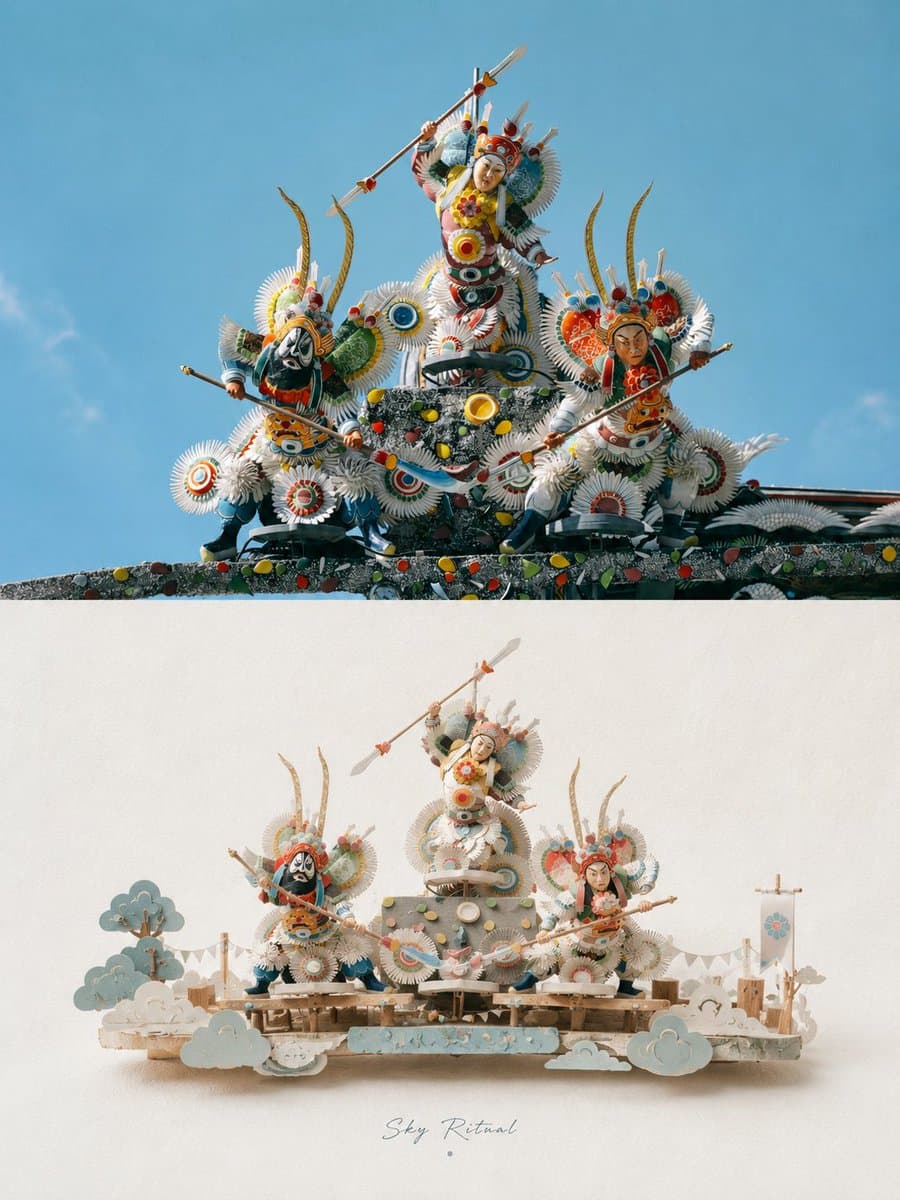
A refined prompt for transforming uploaded photos into premium vertical posters, featuring realistic photography in the upper half and a stylized 3D paper-craft miniature scene in the lower half.
Prompt
Please turn each photo I upload into a separate premium poster design. Do not create multi-image collages; output each photo individually. Use an overall 3:4 vertical composition, with the upper and lower sections in a strict 1:1 height rat
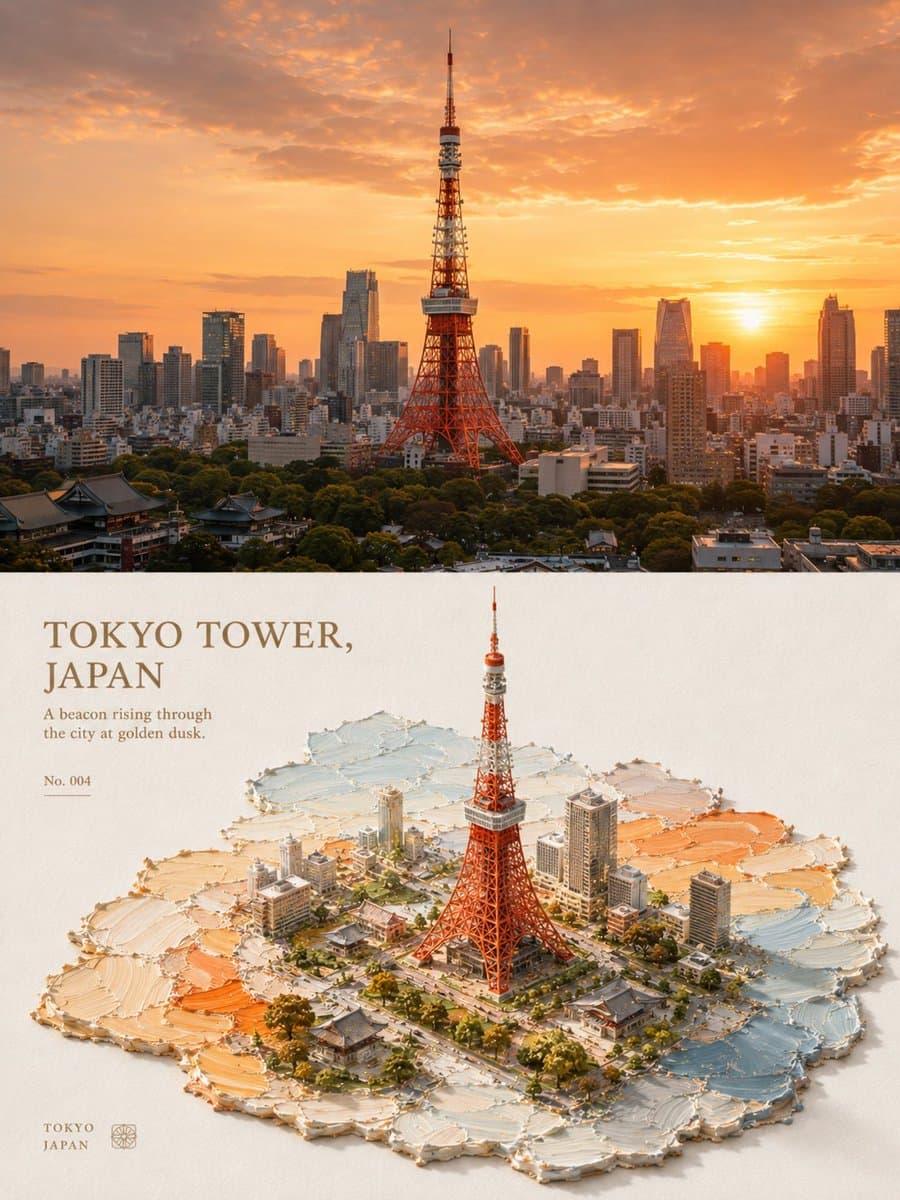
An aesthetic prompt that transforms photos into 3D isometric miniature landscapes using impasto oil painting and palette-knife techniques, creating a richly tactile, handcrafted texture on paper.
Prompt
Please turn each photo I upload into a separate premium design poster. Do not combine multiple images; output each photo individually. Use an overall 3:4 vertical composition, divided into upper and lower sections with a strict 1:1 height r

A detailed 3D CG render depicting an oriental fantasy girl with long mint-green hair, using high-quality PBR materials, with a dreamy garden background.
Prompt
9:16 vertical format, high-precision 3D CG oriental fantasy sweet-cool girl character poster, 3D CG oriental fantasy girl character portrait, anime-style 3D CG character art, semi-realistic 3D character render, full body portrait. The main


