Verified installable Agent Skill
SKILL.md + .skillInstall into your agent.
npx skills add LearnPrompt/goodcaseai --skill product-studio-visual --global --copy --yes --full-depthLoading…
Skill · Shared method
Organize reusable product stills around the object, material, lighting, and commercial setting.
Verified installable Agent Skill
SKILL.md + .skillnpx skills add LearnPrompt/goodcaseai --skill product-studio-visual --global --copy --yes --full-depthMethod skeleton
Creator evidence
Case evidence
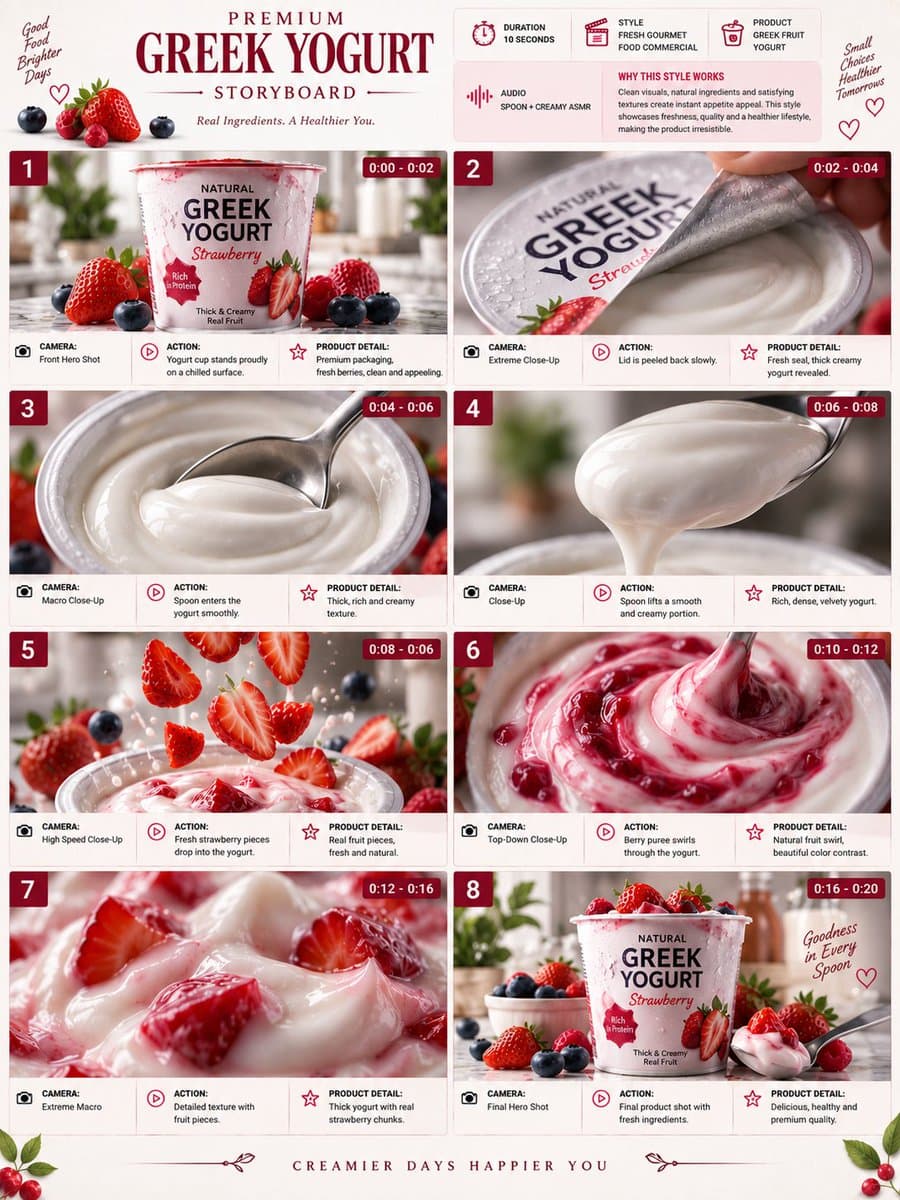
Write the keywords carefully!!! The content must feature the item in the uploaded image as the main subject. The workflow was quite impressive when I built and tested it myself. The product image workflow automatically generates a suitable angle based on the specific need and blends perfectly into the environmental lighting and shadows. Product images can be uploaded with a transparent background, a white background, or any scene image that is not too complex!! A LoRA dedicated to retouching and rendering has been included. Address: ****s://****liblib.art/modelinfo/e5604e02cca44f0cb8ceeca0359447d3?from=personal_page&versionUuid=b54eed5cdd71420bb70beb3337b4d59c Mask expansion may require several tests to find the value range suitable for your own product. The default value is one I found to have relatively high compatibility after testing different products. You can generate multiple images at once and draw for the best result~ Everyone is welcome to share results, and you can also follow my profile for more e-commerce workflows. Note: this workflow does not mind the angle, lighting, or shadows of the uploaded product. Some small details in the output may have errors; in general, it can achieve 80~95% fidelity. If you need to preserve details perfectly, there are several workflow options available on my profile~ Workflow page; for commercial use, you must also verify the base model, LoRA, nodes, and input materials. License: the original page does not specify this; pending manual review.
Prompt
Write the keywords carefully!!! The content must feature the item in the uploaded image as the main subject. The workflow was quite impressive when I built and tested it myself. The product image workflow automatically generates a suitable
Workflow introduction Remastered from: alansun Workflow source: https://openart.ai/workflows/alansyn/easy product relight/XdzTNRbqi1kMYpNjuFWm Product shadow and light poster drawing based on Brushnet IC Light, convenient and easy to use. By configuring different parameter switches, two mode paths are supported: Basic Mode : Suitable for scenes with simple background elements, controlling the background and light-shadow types through prompts Advanced Mode : Suitable for scenarios requiring more precise control, using precise prompts or style reference images as input, and using brushnet for background redrawing Configuration Parameter Description 1. Basic Prompt : Used to describe the product type, such as 1shoe 2. Light-Shadow Prompt : Used to describe the type of light-shadow, can also add background descriptions, such as sunshine light, river background 3. Product Image : Product mat…
Prompt
Workflow introduction Remastered from: alansun Workflow source: https://openart.ai/workflows/alansyn/easy product relight/XdzTNRbqi1kMYpNjuFWm Product shadow and light poster drawing based on Brushnet IC Light, convenient and easy to use. …
Workflow Introduction: This is a workflow for creating product posters with astonishingly good results. It can completely replicate your product and then reference the style of the background you want to use, combining the two to finally form a beautiful poster. In our work, we may encounter requirements to create posters and effect displays for a product. The most important thing to note in this requirement is that the product must not change and must blend very naturally with the background image. Of course, if you have advanced PS skills, you can certainly use PS for creation. However, PS is heavily dependent on materials, and if you are not very satisfied with the materials, you can use this workflow to draft your poster. Workflow Idea: First, process the product image by resizing it proportionally to a width of 1024, then cut out the product and create a mask for it. Next, perform …
Prompt
Workflow Introduction: This is a workflow for creating product posters with astonishingly good results. It can completely replicate your product and then reference the style of the background you want to use, combining the two to finally f…
Upload a reference image and a transparent-background product image at the same time to generate an image in one click, with no prompt required. The product position and size in the reference image should not differ too much from the transparent product image. The aspect ratio of the transparent-background product image will be the final generated image ratio; there are no size requirements for the reference image. All product label details are fully preserved. Dedicated LoRA ****s://****liblib.art/modelinfo/cce9d298ce144cc7b916e1a703f07dfa?from=personal_page&versionUuid=7cef291b17e04747b92d31df5863c452 Feel free to add me if you have questions~ Workflow page; for commercial use, you must also check the base model, LoRA, nodes, and input materials. License: not clearly stated on the original page; manual review pending
Prompt
Upload a reference image and a transparent-background product image at the same time to generate an image in one click, with no prompt required. The product position and size in the reference image should not differ too much from the transp
A professional prompt for creating high-resolution packaging mockups, letting you visualize labels and logos on realistic pouch or box textures with studio lighting effects.
Prompt
Design a professional packaging mockup for my {argument name="product type" default="snack product"} using the uploaded {argument name="branding" default="label/logo"}, realistic {
A professional product photography prompt designed for Nano Banana Pro, presenting a minimalist scene on a grassy hill during golden hour, ideal for high-end editorial photography.
Prompt
Minimalist product photography, {argument name="subject" default="product from uploaded photo"} placed on top of a {argument name="setting" default="small rounded green grassy hill
A refined master prompt designed to render multiple products as a dense, high-end 3D cluster with realistic textures.
Prompt
Extreme close-up, highly detailed Blender + Octane render of the attached product images arranged as a {argument name="composition style" default="dense, overlapping 3D floating cl
A professional business prompt designed to generate 8 diverse commercial poster options for a single product, ensuring brand consistency while exploring different themes and angles.
Prompt
Based on this product image, generate 8 product poster concepts in different styles. Product name: [{argument name="产品名称" default="Fill in product name"}] Use case: [{argument name="使用场景" default="Fill in product use"}] Output quantity: {a
A luxury advertising prompt that uses forced perspective to highlight products such as headphones and perfume, with a minimalist architectural background.
Prompt
Ultra-realistic luxury product advertising campaign, a futuristic white architectural room with tall geometric walls and a glossy black-and-white checkered reflective floor. A gian