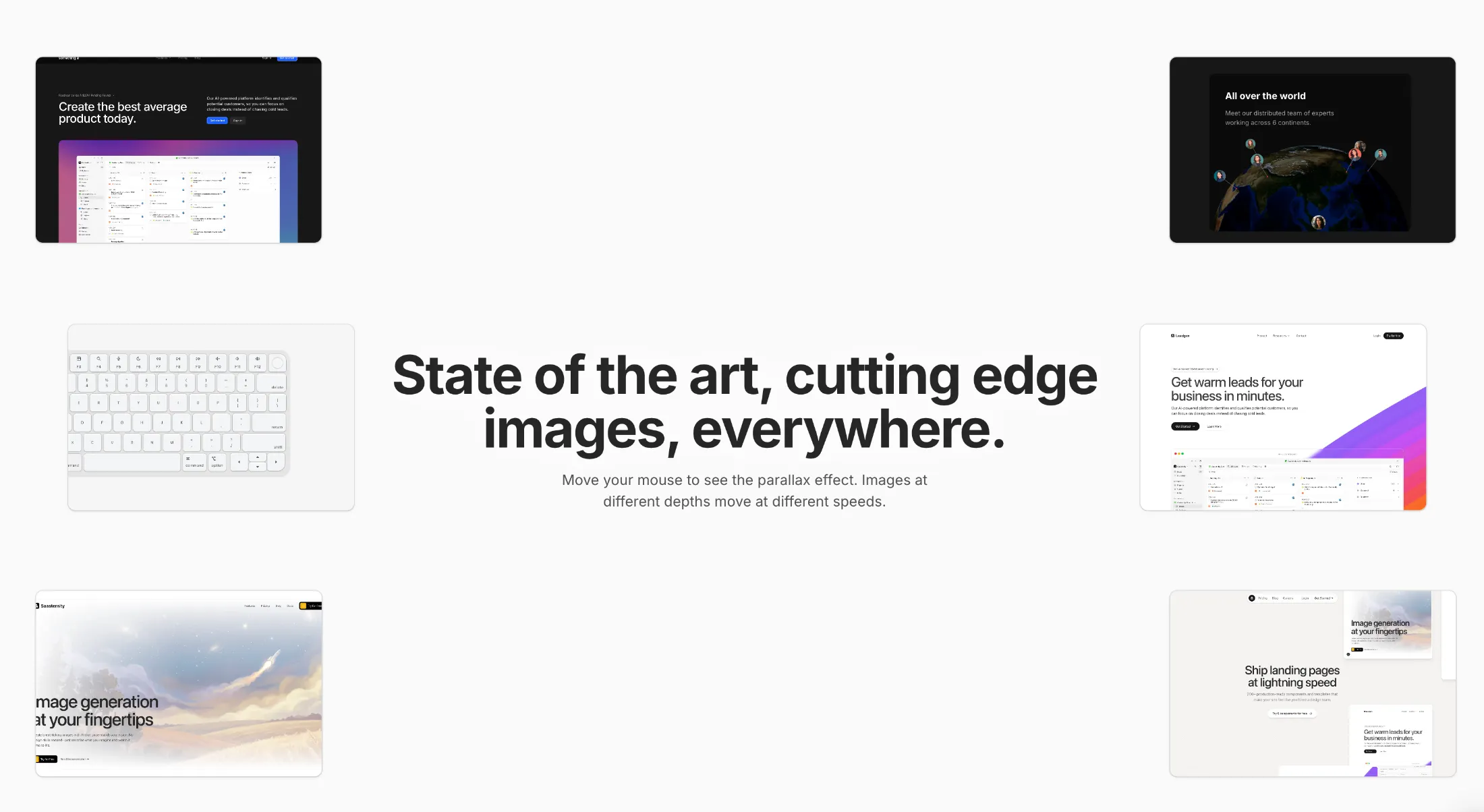
Loading…
Loading…
Creator · Aceternity UI
The reproduction prompt keeps the original and adds runtime, asset and acceptance requirements. These additions are not the author’s words.
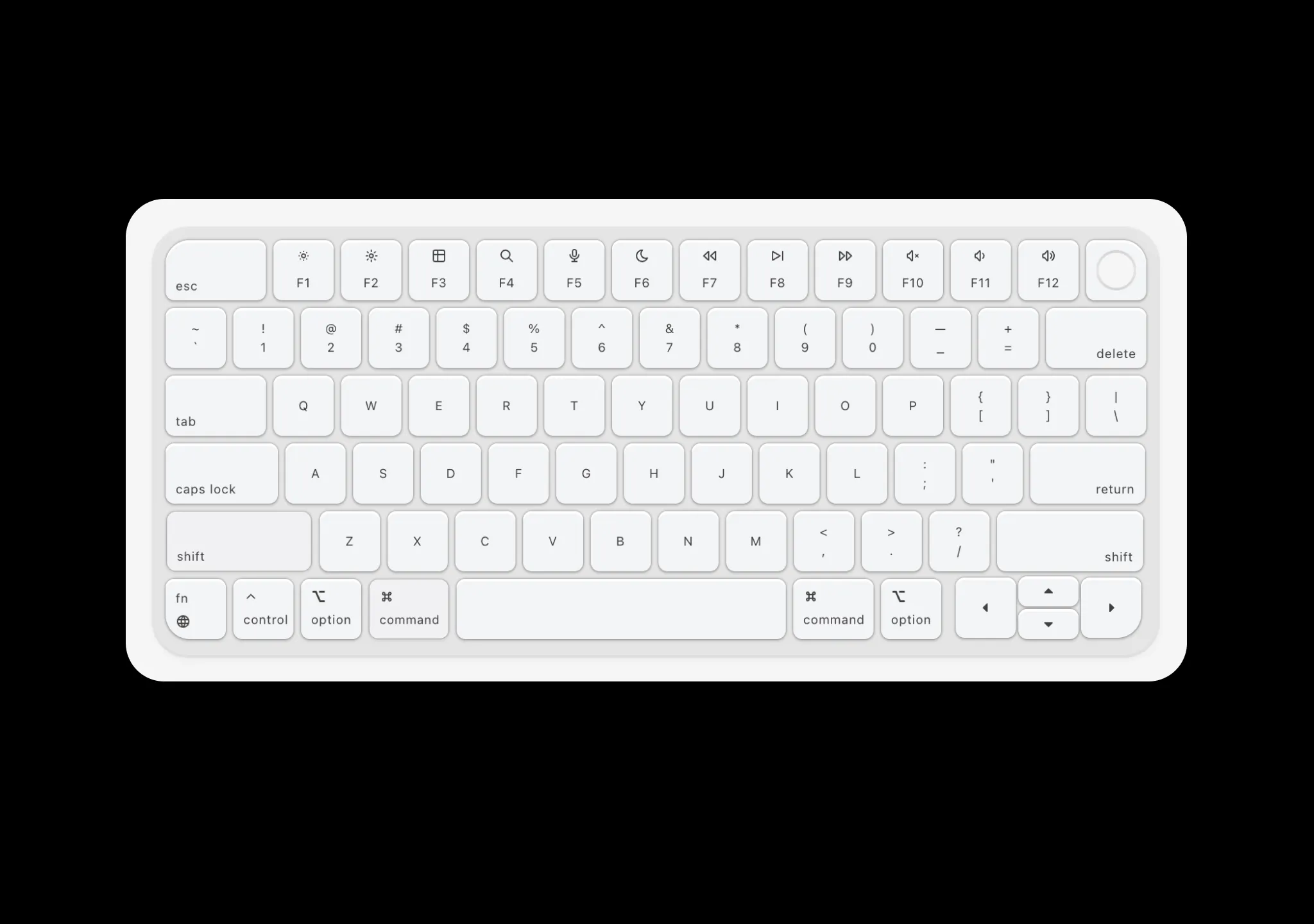
// components/ui/keyboard.tsx
"use client";
import React, {
  createContext,
  useContext,
  useEffect,
  useRef,
  useState,
  useCallback,
} from "react";
import { motion, AnimatePresence } from "motion/react";
import { cn } from "@/lib/utils";
import {
  IconBrightnessDown,
  IconBrightnessUp,
  IconCaretRightFilled,
  IconCaretUpFilled,
  IconChevronUp,
  IconMicrophone,
  IconMoon,
  IconPlayerSkipForward,
  IconPlayerTrackNext,
  IconPlayerTrackPrev,
  IconTable,
  IconVolume,
  IconVolume2,
  IconVolume3,
  IconSearch,
  IconWorld,
  IconCommand,
  IconCaretLeftFilled,
  IconCaretDownFilled,
} from "@tabler/icons-react";

// Sound sprite definitions from config.json [startMs, durationMs]
// Key down sounds - half duration for a snappy press sound
const SOUND_DEFINES_DOWN: Record<string, [number, number]> = {
  Escape: [2894, 113],
  F1: [3610, 98],
  F2: [4210, 90],
  F3: [4758, 90],
  F4: [5250, 100],
  F5: [5831, 105],
  F6: [6396, 105],
  F7: [6900, 105],
  F8: [7443, 111],
  F9: [7955, 91],
  F10: [8504, 105],
  F11: [9046, 94],
  F12: [9582, 96],
  Backquote: [12476, 100],
  Digit1: [12946, 96],
  Digit2: [13470, 95],
  Digit3: [13963, 100],
  Digit4: [14481, 102],
  Digit5: [14994, 94],
  Digit6: [15505, 109],
  Digit7: [15990, 97],
  Digit8: [16529, 92],
  Digit9: [17012, 103],
  Digit0: [17550, 87],
  Minus: [18052, 93],
  Equal: [18553, 89],
  Backspace: [19065, 110],
  Tab: [21734, 119],
  KeyQ: [22245, 95],
  KeyW: [22790, 89],
  KeyE: [23317, 83],
  KeyR: [23817, 92],
  KeyT: [24297, 92],
  KeyY: [24811, 93],
  KeyU: [25313, 95],
  KeyI: [25795, 91],
  KeyO: [26309, 84],
  KeyP: [26804, 83],
  BracketLeft: [27330, 85],
  BracketRight: [27883, 99],
  Backslash: [28393, 100],
  CapsLock: [31011, 126],
  KeyA: [31542, 85],
  KeyS: [32031, 88],
  KeyD: [32492, 85],
  KeyF: [32973, 87],
  KeyG: [33453, 94],
  KeyH: [33986, 93],
  KeyJ: [34425, 88],
  KeyK: [34932, 90],
  KeyL: [35410, 95],
  Semicolon: [35914, 95],
  Quote: [36428, 87],
  Enter: [36902, 117],
  ShiftLeft: [38136, 133],
  KeyZ: [38694, 80],
  KeyX: [39148, 76],
  KeyC: [39632, 95],
  KeyV: [40136, 94],
  KeyB: [40621, 107],
  KeyN: [41103, 90],
  KeyM: [41610, 93],
  Comma: [42110, 92],
  Period: [42594, 90],
  Slash: [43105, 95],
  ShiftRight: [43565, 137],
  Fn: [44251, 110],
  ControlLeft: [45327, 83],
  AltLeft: [45750, 82],
  MetaLeft: [46199, 100],
  Space: [51541, 144],
  MetaRight: [47929, 75],
  AltRight: [49329, 82],
  ArrowUp: [44251, 110],
  ArrowLeft: [49837, 88],
  ArrowDown: [50333, 90],
  ArrowRight: [50783, 111],
};

// Key up sounds - shorter duration, offset for the release "thock"
// Uses the tail end of each sound sample for a lighter release effect
const SOUND_DEFINES_UP: Record<string, [number, number]> = {
  Escape: [2894 + 120, 100],
  F1: [3610 + 100, 90],
  F2: [4210 + 95, 80],
  F3: [4758 + 95, 80],
  F4: [5250 + 105, 90],
  F5: [5831 + 110, 95],
  F6: [6396 + 110, 95],
  F7: [6900 + 110, 95],
  F8: [7443 + 115, 100],
  F9: [7955 + 95, 80],
  F10: [8504 + 110, 95],
  F11: [9046 + 100, 85],
  F12: [9582 + 100, 85],
  Backquote: [12476 + 105, 90],
  Digit1: [12946 + 100, 85],
  Digit2: [13470 + 100, 85],
  Digit3: [13963 + 105, 90],
  Digit4: [14481 + 110, 90],
  Digit5: [14994 + 100, 85],
  Digit6: [15505 + 115, 100],
  Digit7: [15990 + 100, 90],
  Digit8: [16529 + 95, 85],
  Digit9: [17012 + 110, 90],
  Digit0: [17550 + 90, 80],
  Minus: [18052 + 100, 85],
  Equal: [18553 + 90, 85],
  Backspace: [19065 + 115, 100],
  Tab: [21734 + 125, 110],
  KeyQ: [22245 + 100, 85],
  KeyW: [22790 + 90, 85],
  KeyE: [23317 + 85, 80],
  KeyR: [23817 + 95, 85],
  KeyT: [24297 + 95, 85],
  KeyY: [24811 + 100, 85],
  KeyU: [25313 + 100, 85],
  KeyI: [25795 + 95, 85],
  KeyO: [26309 + 85, 80],
  KeyP: [26804 + 85, 80],
  BracketLeft: [27330 + 85, 80],
  BracketRight: [27883 + 105, 90],
  Backslash: [28393 + 105, 90],
  CapsLock: [31011 + 135, 110],
  KeyA: [31542 + 90, 80],
  KeyS: [32031 + 90, 80],
  KeyD: [32492 + 85, 80],
  KeyF: [32973 + 90, 80],
  KeyG: [33453 + 100, 85],
  KeyH: [33986 + 95, 85],
  KeyJ: [34425 + 90, 85],
  KeyK: [34932 + 95, 85],
  KeyL: [35410 + 100, 85],
  Semicolon: [35914 + 100, 85],
  Quote: [36428 + 90, 80],
  Enter: [36902 + 125, 105],
  ShiftLeft: [38136 + 140, 120],
  KeyZ: [38694 + 85, 75],
  KeyX: [39148 + 80, 70],
  KeyC: [39632 + 100, 85],
  KeyV: [40136 + 100, 85],
  KeyB: [40621 + 115, 95],
  KeyN: [41103 + 95, 85],
  KeyM: [41610 + 100, 85],
  Comma: [42110 + 95, 85],
  Period: [42594 + 95, 85],
  Slash: [43105 + 100, 85],
  ShiftRight: [43565 + 145, 125],
  Fn: [44251 + 115, 100],
  ControlLeft: [45327 + 85, 80],
  AltLeft: [45750 + 85, 80],
  MetaLeft: [46199 + 105, 90],
  Space: [51541 + 150, 130],
  MetaRight: [47929 + 75, 70],
  AltRight: [49329 + 85, 80],
  ArrowUp: [44251 + 115, 100],
  ArrowLeft: [49837 + 90, 85],
  ArrowDown: [50333 + 95, 80],
  ArrowRight: [50783 + 115, 100],
};

// Map key codes to display labels
const KEY_DISPLAY_LABELS: Record<string, string> = {
  Escape: "esc",
  Backspace: "delete",
  Tab: "tab",
  Enter: "return",
  ShiftLeft: "shift",
  ShiftRight: "shift",
  ControlLeft: "control",
  ControlRight: "control",
  AltLeft: "option",
  AltRight: "option",
  MetaLeft: "command",
  MetaRight: "command",
  Space: "space",
  CapsLock: "caps",
  ArrowUp: "↑",
  ArrowDown: "↓",
  ArrowLeft: "←",
  ArrowRight: "→",
  Backquote: "`",
  Minus: "-",
  Equal: "=",
  BracketLeft: "[",
  BracketRight: "]",
  Backslash: "\\",
  Semicolon: ";",
  Quote: "'",
  Comma: ",",
  Period: ".",
  Slash: "/",
};

const getKeyDisplayLabel = (keyCode: string): string => {
  if (KEY_DISPLAY_LABELS[keyCode]) return KEY_DISPLAY_LABELS[keyCode];
  if (keyCode.startsWith("Key")) return keyCode.slice(3);
  if (keyCode.startsWith("Digit")) return keyCode.slice(5);
  if (keyCode.startsWith("F") && keyCode.length <= 3) return keyCode;
  return keyCode;
};

interface KeyboardContextType {
  playSoundDown: (keyCode: string) => void;
  playSoundUp: (keyCode: string) => void;
  pressedKeys: Set<string>;
  setPressed: (keyCode: string) => void;
  setReleased: (keyCode: string) => void;
  lastPressedKey: string | null;
}

const KeyboardContext = createContext<KeyboardContextType | null>(null);

const useKeyboardSound = () => {
  const context = useContext(KeyboardContext);
  if (!context) {
    throw new Error("useKeyboardSound must be used within KeyboardProvider");
  }
  return context;
};

const KeyboardProvider = ({
  children,
  enableSound = false,
  containerRef,
}: {
  children: React.ReactNode;
  enableSound?: boolean;
  containerRef: React.RefObject<HTMLDivElement | null>;
}) => {
  const audioContextRef = useRef<AudioContext | null>(null);
  const audioBufferRef = useRef<AudioBuffer | null>(null);
  const [pressedKeys, setPressedKeys] = useState<Set<string>>(new Set());
  const [lastPressedKey, setLastPressedKey] = useState<string | null>(null);
  const [soundLoaded, setSoundLoaded] = useState(false);
  const [isVisible, setIsVisible] = useState(false);

  useEffect(() => {
    if (!enableSound) return;

    // Initialize AudioContext and load sound file
    const initAudio = async () => {
      try {
        audioContextRef.current = new AudioContext();
        const response = await fetch("/sounds/sound.ogg");
        if (!response.ok) {
          console.warn("Sound file not available");
          return;
        }
        const arrayBuffer = await response.arrayBuffer();
        audioBufferRef.current =
          await audioContextRef.current.decodeAudioData(arrayBuffer);
        setSoundLoaded(true);
      } catch (error) {
        console.warn("Failed to load sound:", error);
      }
    };

    initAudio();

    return () => {
      audioContextRef.current?.close();
    };
  }, [enableSound]);

  const playSoundDown = useCallback(
    (keyCode: string) => {
      if (!enableSound || !soundLoaded) return;
      if (!audioContextRef.current || !audioBufferRef.current) return;

      const soundDef = SOUND_DEFINES_DOWN[keyCode];
      if (!soundDef) return;

      const [startMs, durationMs] = soundDef;
      const startTime = startMs / 1000;
      const duration = durationMs / 1000;

      // Resume audio context if suspended (browser autoplay policy)
      if (audioContextRef.current.state === "suspended") {
        audioContextRef.current.resume();
      }

      const source = audioContextRef.current.createBufferSource();
      source.buffer = audioBufferRef.current;
      source.connect(audioContextRef.current.destination);
      source.start(0, startTime, duration);
    },
    [enableSound, soundLoaded],
  );

  const playSoundUp = useCallback(
    (keyCode: string) => {
      if (!enableSound || !soundLoaded) return;
      if (!audioContextRef.current || !audioBufferRef.current) return;

      const soundDef = SOUND_DEFINES_UP[keyCode];
      if (!soundDef) return;

      const [startMs, durationMs] = soundDef;
      const startTime = startMs / 1000;
      const duration = durationMs / 1000;

      // Resume audio context if suspended (browser autoplay policy)
      if (audioContextRef.current.state === "suspended") {
        audioContextRef.current.resume();
      }

      const source = audioContextRef.current.createBufferSource();
      source.buffer = audioBufferRef.current;
      source.connect(audioContextRef.current.destination);
      source.start(0, startTime, duration);
    },
    [enableSound, soundLoaded],
  );

  const setPressed = useCallback((keyCode: string) => {
    setPressedKeys((prev) => new Set(prev).add(keyCode));
    setLastPressedKey(keyCode);
  }, []);

  const setReleased = useCallback((keyCode: string) => {
    setPressedKeys((prev) => {
      const next = new Set(prev);
      next.delete(keyCode);
      return next;
    });
  }, []);

  // Track visibility with IntersectionObserver
  useEffect(() => {
    const element = containerRef.current;
    if (!element) return;

    const observer = new IntersectionObserver(
      ([entry]) => {
        setIsVisible(entry.isIntersecting);
      },
      { threshold: 0.1 },
    );

    observer.observe(element);

    return () => {
      observer.disconnect();
    };
  }, [containerRef]);

  // Handle physical keyboard events (only when visible)
  useEffect(() => {
    if (!isVisible) return;

    const handleKeyDown = (e: KeyboardEvent) => {
      // Prevent repeat events
      if (e.repeat) return;

      const keyCode = e.code;
      playSoundDown(keyCode);
      setPressed(keyCode);
    };

    const handleKeyUp = (e: KeyboardEvent) => {
      const keyCode = e.code;
      playSoundUp(keyCode);
      setReleased(keyCode);
    };

    document.addEventListener("keydown", handleKeyDown);
    document.addEventListener("keyup", handleKeyUp);

    return () => {
      document.removeEventListener("keydown", handleKeyDown);
      document.removeEventListener("keyup", handleKeyUp);
    };
  }, [isVisible, playSoundDown, playSoundUp, setPressed, setReleased]);

  return (
    <KeyboardContext.Provider
      value={{
        playSoundDown,
        playSoundUp,
        pressedKeys,
        setPressed,
        setReleased,
        lastPressedKey,
      }}
    >
      {children}
    </KeyboardContext.Provider>
  );
};

const KeystrokePreview = () => {
  const { lastPressedKey, pressedKeys } = useKeyboardSound();
  const [displayKey, setDisplayKey] = useState<string | null>(null);
  const [animationKey, setAnimationKey] = useState(0);

  useEffect(() => {
    if (lastPressedKey) {
      // Clear display if space or shift is pressed
      if (
        lastPressedKey === "Space" ||
        lastPressedKey === "ShiftLeft" ||
        lastPressedKey === "ShiftRight"
      ) {
        setDisplayKey(null);
        return;
      }

      setDisplayKey(getKeyDisplayLabel(lastPressedKey));
      setAnimationKey((prev) => prev + 1);
    }
  }, [lastPressedKey]);

  const isPressed = pressedKeys.size > 0;

  return (
    <div className="relative flex h-12 w-full items-center justify-center">
      <AnimatePresence mode="popLayout">
        {displayKey && (
          <motion.div
            key={animationKey}
            layout
            initial={{ opacity: 0, scale: 0.5, y: 5 }}
            animate={{
              opacity: 1,
              scale: isPressed ? 0.95 : 1,
              y: 0,
            }}
            exit={{ opacity: 0, scale: 0.8, y: -5 }}
            transition={{
              type: "spring",
              stiffness: 500,
              damping: 30,
              mass: 0.5,
            }}
            className="absolute flex items-center justify-center rounded-lg px-4 py-2 font-mono text-2xl font-black text-neutral-700"
          >
            <motion.span
              initial={{ opacity: 0, scale: 1.2, filter: "blur(10px)" }}
              animate={{ opacity: 0.6, scale: 1, filter: "blur(0px)" }}
              transition={{ duration: 0.05 }}
              className="text-2xl"
            >
              {displayKey}
            </motion.span>
          </motion.div>
        )}
      </AnimatePresence>
    </div>
  );
};

export const Keyboard = ({
  className,
  enableSound = false,
  showPreview = false,
}: {
  className?: string;
  enableSound?: boolean;
  showPreview?: boolean;
}) => {
  const containerRef = useRef<HTMLDivElement>(null);

  return (
    <KeyboardProvider enableSound={enableSound} containerRef={containerRef}>
      <div
        ref={containerRef}
        className={cn(
          "mx-auto w-fit [zoom:0.8] sm:[zoom:1.25] md:[zoom:1.5] lg:[zoom:1.75] xl:[zoom:2]",
          className,
        )}
      >
        {showPreview && <KeystrokePreview />}
        <Keypad />
      </div>
    </KeyboardProvider>
  );
};

export const Keypad = () => {
  return (
    <div className="h-full w-fit rounded-xl bg-neutral-200 p-1 shadow-sm ring-1 shadow-black/5 ring-black/5">
      {/* Function Row */}
      <Row>
        <Key
          keyCode="Escape"
          containerClassName="rounded-tl-xl"
          className="w-10 rounded-tl-lg"
          childrenClassName="items-start justify-end pb-[2px] pl-[4px]"
        >
          <span>esc</span>
        </Key>
        <Key keyCode="F1">
          <IconBrightnessDown className="h-[6px] w-[6px]" />
          <span className="mt-1">F1</span>
        </Key>
        <Key keyCode="F2">
          <IconBrightnessUp className="h-[6px] w-[6px]" />
          <span className="mt-1">F2</span>
        </Key>
        <Key keyCode="F3">
          <IconTable className="h-[6px] w-[6px]" />
          <span className="mt-1">F3</span>
        </Key>
        <Key keyCode="F4">
          <IconSearch className="h-[6px] w-[6px]" />
          <span className="mt-1">F4</span>
        </Key>
        <Key keyCode="F5">
          <IconMicrophone className="h-[6px] w-[6px]" />
          <span className="mt-1">F5</span>
        </Key>
        <Key keyCode="F6">
          <IconMoon className="h-[6px] w-[6px]" />
          <span className="mt-1">F6</span>
        </Key>
        <Key keyCode="F7">
          <IconPlayerTrackPrev className="h-[6px] w-[6px]" />
          <span className="mt-1">F7</span>
        </Key>
        <Key keyCode="F8">
          <IconPlayerSkipForward className="h-[6px] w-[6px]" />
          <span className="mt-1">F8</span>
        </Key>
        <Key keyCode="F9">
          <IconPlayerTrackNext className="h-[6px] w-[6px]" />
          <span className="mt-1">F9</span>
        </Key>
        <Key keyCode="F10">
          <IconVolume3 className="h-[6px] w-[6px]" />
          <span className="mt-1">F10</span>
        </Key>
        <Key keyCode="F11">
          <IconVolume2 className="h-[6px] w-[6px]" />
          <span className="mt-1">F11</span>
        </Key>
        <Key keyCode="F12">
          <IconVolume className="h-[6px] w-[6px]" />
          <span className="mt-1">F12</span>
        </Key>
        <Key containerClassName="rounded-tr-xl" className="rounded-tr-lg">
          <div className="h-4 w-4 rounded-full bg-gradient-to-b from-neutral-300 via-neutral-200 to-neutral-300 p-px">
            <div className="h-full w-full rounded-full bg-neutral-100" />
          </div>
        </Key>
      </Row>

      {/* Number Row */}
      <Row>
        <Key keyCode="Backquote">
          <span>~</span>
          <span>`</span>
        </Key>
        <Key keyCode="Digit1">
          <span>!</span>
          <span>1</span>
        </Key>
        <Key keyCode="Digit2">
          <span>@</span>
          <span>2</span>
        </Key>
        <Key keyCode="Digit3">
          <span>#</span>
          <span>3</span>
        </Key>
        <Key keyCode="Digit4">
          <span>$</span>
          <span>4</span>
        </Key>
        <Key keyCode="Digit5">
          <span>%</span>
          <span>5</span>
        </Key>
        <Key keyCode="Digit6">
          <span>^</span>
          <span>6</span>
        </Key>
        <Key keyCode="Digit7">
          <span>&</span>
          <span>7</span>
        </Key>
        <Key keyCode="Digit8">
          <span>*</span>
          <span>8</span>
        </Key>
        <Key keyCode="Digit9">
          <span>(</span>
          <span>9</span>
        </Key>
        <Key keyCode="Digit0">
          <span>)</span>
          <span>0</span>
        </Key>
        <Key keyCode="Minus">
          <span>—</span>
          <span>_</span>
        </Key>
        <Key keyCode="Equal">
          <span>+</span>
          <span>=</span>
        </Key>
        <Key
          keyCode="Backspace"
          className="w-10"
          childrenClassName="items-end justify-end pr-[4px] pb-[2px]"
        >
          <span>delete</span>
        </Key>
      </Row>

      {/* QWERTY Row */}
      <Row>
        <Key
          keyCode="Tab"
          className="w-10"
          childrenClassName="items-start justify-end pb-[2px] pl-[4px]"
        >
          <span>tab</span>
        </Key>
        {["Q", "W", "E", "R", "T", "Y", "U", "I", "O", "P"].map((letter) => (
          <Key key={letter} keyCode={`Key${letter}`}>
            {letter}
          </Key>
        ))}
        <Key keyCode="BracketLeft">
          <span>{`{`}</span>
          <span>{`[`}</span>
        </Key>
        <Key keyCode="BracketRight">
          <span>{`}`}</span>
          <span>{`]`}</span>
        </Key>
        <Key keyCode="Backslash">
          <span>{`|`}</span>
          <span>{`\\`}</span>
        </Key>
      </Row>

      {/* Home Row */}
      <Row>
        <Key
          keyCode="CapsLock"
          className="w-[2.8rem]"
          childrenClassName="items-start justify-end pb-[2px] pl-[4px]"
        >
          <span>caps lock</span>
        </Key>
        {["A", "S", "D", "F", "G", "H", "J", "K", "L"].map((letter) => (
          <Key key={letter} keyCode={`Key${letter}`}>
            {letter}
          </Key>
        ))}
        <Key keyCode="Semicolon">
          <span>:</span>
          <span>;</span>
        </Key>
        <Key keyCode="Quote">
          <span>{`"`}</span>
          <span>{`'`}</span>
        </Key>
        <Key
          keyCode="Enter"
          className="w-[2.85rem]"
          childrenClassName="items-end justify-end pr-[4px] pb-[2px]"
        >
          <span>return</span>
        </Key>
      </Row>

      {/* Bottom Letter Row */}
      <Row>
        <Key
          keyCode="ShiftLeft"
          className="w-[3.65rem]"
          childrenClassName="items-start justify-end pb-[2px] pl-[4px]"
        >
          <span>shift</span>
        </Key>
        {["Z", "X", "C", "V", "B", "N", "M"].map((letter) => (
          <Key key={letter} keyCode={`Key${letter}`}>
            {letter}
          </Key>
        ))}
        <Key keyCode="Comma">
          <span>{`<`}</span>
          <span>,</span>
        </Key>
        <Key keyCode="Period">
          <span>{`>`}</span>
          <span>.</span>
        </Key>
        <Key keyCode="Slash">
          <span>?</span>
          <span>/</span>
        </Key>
        <Key
          keyCode="ShiftRight"
          className="w-[3.65rem]"
          childrenClassName="items-end justify-end pr-[4px] pb-[2px]"
        >
          <span>shift</span>
        </Key>
      </Row>

      {/* Modifier Row */}
      <Row>
        <ModifierKey
          keyCode="Fn"
          containerClassName="rounded-bl-xl"
          className="rounded-bl-lg"
        >
          <span>fn</span>
          <IconWorld className="h-[6px] w-[6px]" />
        </ModifierKey>
        <ModifierKey keyCode="ControlLeft">
          <IconChevronUp className="h-[6px] w-[6px]" />
          <span>control</span>
        </ModifierKey>
        <ModifierKey keyCode="AltLeft">
          <OptionKey className="h-[6px] w-[6px]" />
          <span>option</span>
        </ModifierKey>
        <ModifierKey keyCode="MetaLeft" className="w-8">
          <IconCommand className="h-[6px] w-[6px]" />
          <span>command</span>
        </ModifierKey>
        <Key keyCode="Space" className="w-[8.2rem]" />
        <ModifierKey keyCode="MetaRight" className="w-8">
          <IconCommand className="h-[6px] w-[6px]" />
          <span>command</span>
        </ModifierKey>
        <ModifierKey keyCode="AltRight">
          <OptionKey className="h-[6px] w-[6px]" />
          <span>option</span>
        </ModifierKey>
        {/* Arrow Keys */}
        <div className="flex h-6 w-[4.9rem] items-center justify-end rounded-[4px] p-[0.5px]">
          <Key keyCode="ArrowLeft" className="h-6 w-6">
            <IconCaretLeftFilled className="h-[6px] w-[6px]" />
          </Key>
          <div className="flex flex-col">
            <Key keyCode="ArrowUp" className="h-3 w-6">
              <IconCaretUpFilled className="h-[6px] w-[6px]" />
            </Key>
            <Key keyCode="ArrowDown" className="h-3 w-6">
              <IconCaretDownFilled className="h-[6px] w-[6px]" />
            </Key>
          </div>
          <Key
            keyCode="ArrowRight"
            containerClassName="rounded-br-xl"
            className="h-6 w-6 rounded-br-lg"
          >
            <IconCaretRightFilled className="h-[6px] w-[6px]" />
          </Key>
        </div>
      </Row>
    </div>
  );
};

const Row = ({ children }: { children: React.ReactNode }) => (
  <div className="mb-[2px] flex w-full shrink-0 gap-[2px]">{children}</div>
);

const Key = ({
  className,
  childrenClassName,
  containerClassName,
  children,
  keyCode,
}: {
  className?: string;
  childrenClassName?: string;
  containerClassName?: string;
  children?: React.ReactNode;
  keyCode?: string;
}) => {
  const { playSoundDown, playSoundUp, pressedKeys, setPressed, setReleased } =
    useKeyboardSound();
  const isPressed = keyCode ? pressedKeys.has(keyCode) : false;

  const handleMouseDown = () => {
    if (keyCode) {
      playSoundDown(keyCode);
      setPressed(keyCode);
    }
  };

  const handleMouseUp = () => {
    if (keyCode && isPressed) {
      playSoundUp(keyCode);
      setReleased(keyCode);
    }
  };

  const handleMouseLeave = () => {
    if (keyCode && isPressed) {
      setReleased(keyCode);
    }
  };

  return (
    <div className={cn("rounded-[4px] p-[0.5px]", containerClassName)}>
      <button
        type="button"
        onMouseDown={handleMouseDown}
        onMouseUp={handleMouseUp}
        onMouseLeave={handleMouseLeave}
        className={cn(
          "flex h-6 w-6 cursor-pointer items-center justify-center rounded-[3.5px] bg-gray-100 shadow-[0px_0px_1px_0px_rgba(0,0,0,0.5),0px_1px_1px_0px_rgba(0,0,0,0.1),0px_1px_0px_0px_rgba(255,255,255,1)_inset] transition-transform duration-75 active:scale-[0.98]",
          isPressed &&
            "scale-[0.98] bg-gray-100/80 shadow-[0px_0px_1px_0px_rgba(0,0,0,0.5),0px_1px_1px_0px_rgba(0,0,0,0.1),0px_1px_0px_0px_rgba(255,255,255,0.5)]",
          className,
        )}
      >
        <div
          className={cn(
            "flex h-full w-full flex-col items-center justify-center text-[5px] text-neutral-700",
            childrenClassName,
          )}
        >
          {children}
        </div>
      </button>
    </div>
  );
};

const ModifierKey = ({
  className,
  containerClassName,
  children,
  keyCode,
}: {
  className?: string;
  containerClassName?: string;
  children?: React.ReactNode;
  keyCode?: string;
}) => {
  const { playSoundDown, playSoundUp, pressedKeys, setPressed, setReleased } =
    useKeyboardSound();
  const isPressed = keyCode ? pressedKeys.has(keyCode) : false;

  const handleMouseDown = () => {
    if (keyCode) {
      playSoundDown(keyCode);
      setPressed(keyCode);
    }
  };

  const handleMouseUp = () => {
    if (keyCode && isPressed) {
      playSoundUp(keyCode);
      setReleased(keyCode);
    }
  };

  const handleMouseLeave = () => {
    if (keyCode && isPressed) {
      setReleased(keyCode);
    }
  };

  return (
    <div className={cn("rounded-[4px] p-[0.5px]", containerClassName)}>
      <button
        type="button"
        onMouseDown={handleMouseDown}
        onMouseUp={handleMouseUp}
        onMouseLeave={handleMouseLeave}
        className={cn(
          "flex h-6 w-6 cursor-pointer items-center justify-center rounded-[3.5px] bg-gray-100 shadow-[0px_0px_1px_0px_rgba(0,0,0,0.5),0px_1px_1px_0px_rgba(0,0,0,0.1),0px_1px_0px_0px_rgba(255,255,255,1)_inset] transition-transform duration-75 active:scale-[0.98]",
          isPressed &&
            "scale-[0.98] bg-gray-100/80 shadow-[0px_0px_1px_0px_rgba(0,0,0,0.5),0px_1px_1px_0px_rgba(0,0,0,0.1),0px_1px_0px_0px_rgba(255,255,255,0.5)]",
          className,
        )}
      >
        <div className="flex h-full w-full flex-col items-start justify-between p-1 text-[5px] text-neutral-700">
          {children}
        </div>
      </button>
    </div>
  );
};

const OptionKey = ({ className }: { className?: string }) => {
  return (
    <svg
      fill="none"
      version="1.1"
      xmlns="http://www.w3.org/2000/svg"
      viewBox="0 0 32 32"
      className={className}
    >
      <rect
        stroke="currentColor"
        strokeWidth={2}
        x="18"
        y="5"
        width="10"
        height="2"
      />
      <polygon
        stroke="currentColor"
        strokeWidth={2}
        points="10.6,5 4,5 4,7 9.4,7 18.4,27 28,27 28,25 19.6,25"
      />
    </svg>
  );
};Models & stability
Recommended models
Independent reproductions
 Open reproduction ↗
GLM-5.3 单次生成;Codex 人工修复运行依赖、必要源码及移动布局,未重新生成。桌面/手机真实渲染和资源检查通过;完整功能与视觉还原尚未全部验收。源码、截图和修复记录见复现出处。
Reproduction source ↗Keep exploring

Copy this TSX component source into an AI coding tool such as Cursor, v0, or Claude, and tell it this is the Aceternity UI 3D Animated Pin component. It can then wire it into your React project, and you can swap the copy, colors, and trigger parameters to reuse it.
Prompt
// components/ui/3d-pin.tsx "use client"; import React, { useState } from "react"; import { motion } from "motion/react"; import { cn } from "@/lib/utils"; export const PinContainer = ({ children, title, href, className, containerClassName…
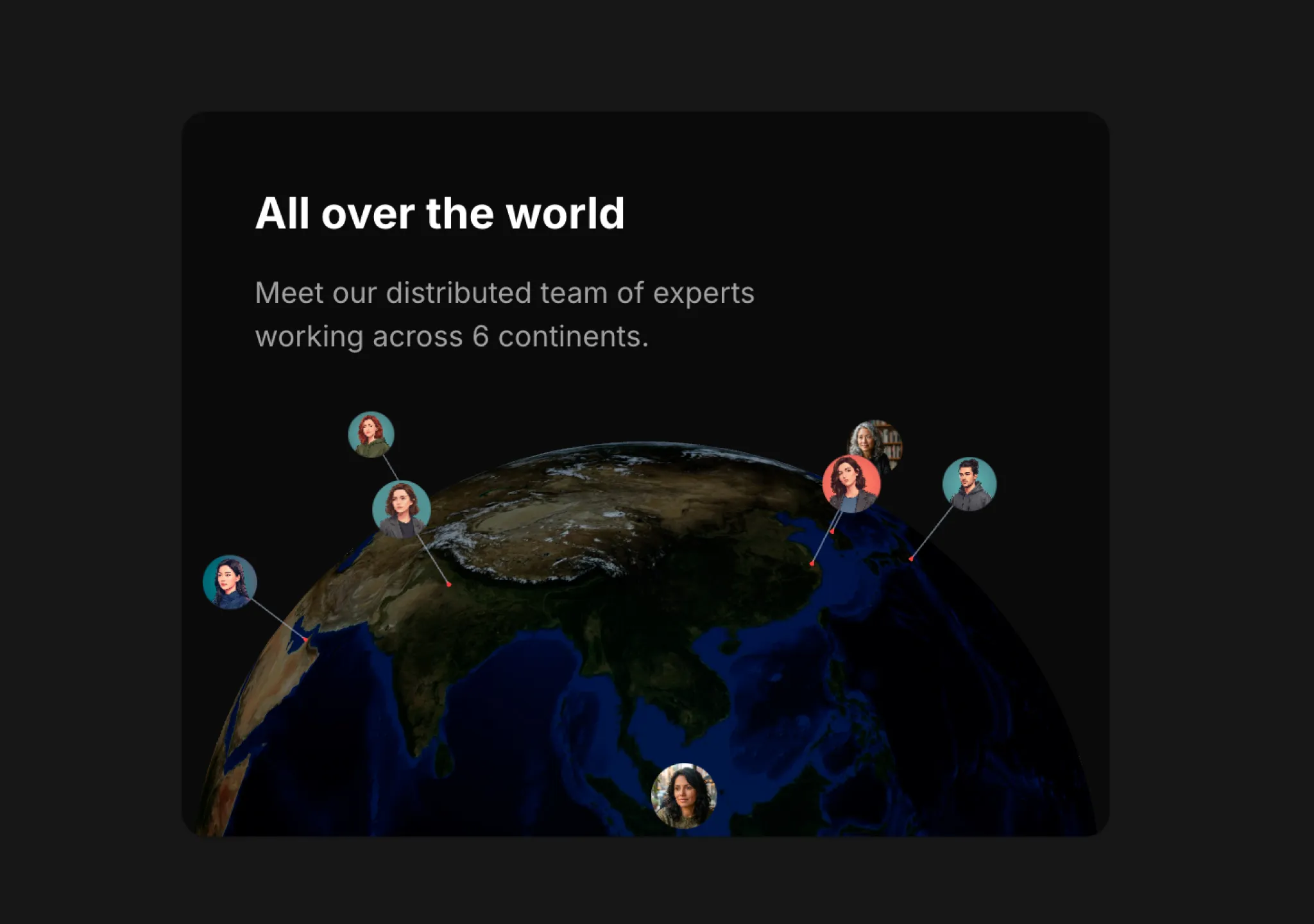
Copy this TSX component source into an AI coding tool such as Cursor, v0, or Claude, and tell it this is the Aceternity UI 3D Globe component. It can then wire it into your React project, and you can swap the copy, colors, and trigger parameters to reuse it.
Prompt
// components/ui/3d-globe.tsx "use client"; import React, { useRef, useMemo, useState, useCallback, Suspense } from "react"; import { Canvas, useFrame, useThree } from "@react-three/fiber"; import { OrbitControls, Html, useTexture } from "…
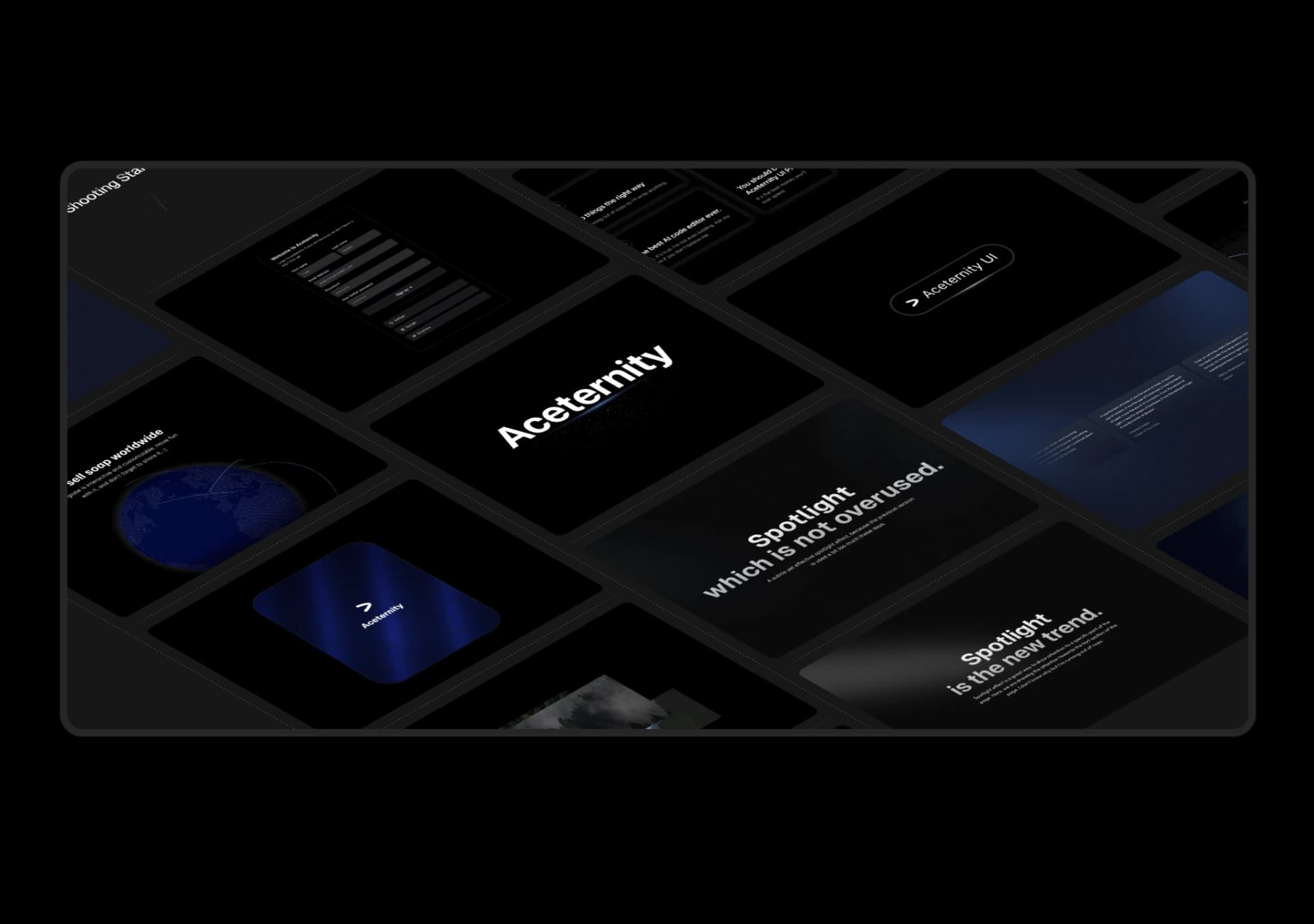
Copy this TSX component source into an AI coding tool such as Cursor, v0, or Claude, and tell it this is the Aceternity UI 3D Marquee component. It can then wire it into your React project, and you can swap the copy, colors, and trigger parameters to reuse it.
Prompt
// components/ui/3d-marquee.tsx "use client"; import { motion } from "motion/react"; import { cn } from "@/lib/utils"; export const ThreeDMarquee = ({ images, className, }: { images: string[]; className?: string; }) => { // Split the image…
Same creator
Each detail page keeps the original result, the prompt, and retest evidence in one reading path.