Loading…
Loading…
Creator · Aceternity UI
The reproduction prompt keeps the original and adds runtime, asset and acceptance requirements. These additions are not the author’s words.
// components/ui/webcam-pixel-grid.tsx
"use client";
import React, { useRef, useEffect, useState, useCallback } from "react";
import { cn } from "@/lib/utils";

type WebcamPixelGridProps = {
  /** Number of columns in the grid */
  gridCols?: number;
  /** Number of rows in the grid */
  gridRows?: number;
  /** Maximum elevation for motion detection */
  maxElevation?: number;
  /** Motion sensitivity (0-1) */
  motionSensitivity?: number;
  /** Smoothing factor for elevation transitions */
  elevationSmoothing?: number;
  /** Color mode: 'webcam' uses actual colors, 'monochrome' uses single color */
  colorMode?: "webcam" | "monochrome";
  /** Base color when in monochrome mode */
  monochromeColor?: string;
  /** Background color */
  backgroundColor?: string;
  /** Whether to mirror the webcam feed */
  mirror?: boolean;
  /** Gap between cells (0-1, fraction of cell size) */
  gapRatio?: number;
  /** Invert the colors */
  invertColors?: boolean;
  /** Darken factor (0-1, 0 = no darkening, 1 = fully dark) */
  darken?: number;
  /** Border color for cells */
  borderColor?: string;
  /** Border opacity (0-1) */
  borderOpacity?: number;
  /** Additional class name */
  className?: string;
  /** Callback when webcam access is denied */
  onWebcamError?: (error: Error) => void;
  /** Callback when webcam is ready */
  onWebcamReady?: () => void;
};

type PixelData = {
  r: number;
  g: number;
  b: number;
  motion: number;
  targetElevation: number;
  currentElevation: number;
};

export const WebcamPixelGrid: React.FC<WebcamPixelGridProps> = ({
  gridCols = 64,
  gridRows = 48,
  maxElevation = 15,
  motionSensitivity = 0.4,
  elevationSmoothing = 0.1,
  colorMode = "webcam",
  monochromeColor = "#00ff88",
  backgroundColor = "#0a0a0a",
  mirror = true,
  gapRatio = 0.1,
  invertColors = false,
  darken = 0,
  borderColor = "#ffffff",
  borderOpacity = 0.08,
  className,
  onWebcamError,
  onWebcamReady,
}) => {
  const videoRef = useRef<HTMLVideoElement>(null);
  const processingCanvasRef = useRef<HTMLCanvasElement>(null);
  const displayCanvasRef = useRef<HTMLCanvasElement>(null);
  const previousFrameRef = useRef<Uint8ClampedArray | null>(null);
  const pixelDataRef = useRef<PixelData[][]>([]);
  const animationRef = useRef<number>(0);
  const [isReady, setIsReady] = useState(false);
  const [error, setError] = useState<string | null>(null);
  const [showErrorPopup, setShowErrorPopup] = useState(true);

  // Parse monochrome color
  const monoRGB = React.useMemo(() => {
    const hex = monochromeColor.replace("#", "");
    return {
      r: parseInt(hex.slice(0, 2), 16),
      g: parseInt(hex.slice(2, 4), 16),
      b: parseInt(hex.slice(4, 6), 16),
    };
  }, [monochromeColor]);

  // Parse border color
  const borderRGB = React.useMemo(() => {
    const hex = borderColor.replace("#", "");
    return {
      r: parseInt(hex.slice(0, 2), 16),
      g: parseInt(hex.slice(2, 4), 16),
      b: parseInt(hex.slice(4, 6), 16),
    };
  }, [borderColor]);

  // Initialize pixel data
  useEffect(() => {
    pixelDataRef.current = Array.from({ length: gridRows }, () =>
      Array.from({ length: gridCols }, () => ({
        r: 30,
        g: 30,
        b: 30,
        motion: 0,
        targetElevation: 0,
        currentElevation: 0,
      })),
    );
  }, [gridCols, gridRows]);

  const streamRef = useRef<MediaStream | null>(null);

  // Request camera access
  const requestCameraAccess = useCallback(async () => {
    try {
      const stream = await navigator.mediaDevices.getUserMedia({
        video: {
          width: { ideal: 640 },
          height: { ideal: 480 },
          facingMode: "user",
        },
      });

      streamRef.current = stream;

      if (videoRef.current) {
        videoRef.current.srcObject = stream;
        await videoRef.current.play();
        setIsReady(true);
        setError(null);
        setShowErrorPopup(false);
        onWebcamReady?.();
      }
    } catch (err) {
      const error =
        err instanceof Error ? err : new Error("Webcam access denied");
      setError(error.message);
      onWebcamError?.(error);
    }
  }, [onWebcamError, onWebcamReady]);

  // Initialize webcam on mount
  useEffect(() => {
    requestCameraAccess();

    return () => {
      if (streamRef.current) {
        streamRef.current.getTracks().forEach((track) => track.stop());
      }
    };
  }, [requestCameraAccess]);

  // Main render loop
  const render = useCallback(() => {
    const video = videoRef.current;
    const processingCanvas = processingCanvasRef.current;
    const displayCanvas = displayCanvasRef.current;

    if (!video || !processingCanvas || !displayCanvas || video.readyState < 2) {
      animationRef.current = requestAnimationFrame(render);
      return;
    }

    const procCtx = processingCanvas.getContext("2d", {
      willReadFrequently: true,
    });
    const dispCtx = displayCanvas.getContext("2d");

    if (!procCtx || !dispCtx) {
      animationRef.current = requestAnimationFrame(render);
      return;
    }

    // Set processing canvas size to grid dimensions
    processingCanvas.width = gridCols;
    processingCanvas.height = gridRows;

    // Draw video to processing canvas (scaled down)
    procCtx.save();
    if (mirror) {
      procCtx.scale(-1, 1);
      procCtx.drawImage(video, -gridCols, 0, gridCols, gridRows);
    } else {
      procCtx.drawImage(video, 0, 0, gridCols, gridRows);
    }
    procCtx.restore();

    // Get pixel data
    const imageData = procCtx.getImageData(0, 0, gridCols, gridRows);
    const currentData = imageData.data;
    const previousData = previousFrameRef.current;

    // Update pixel data with motion detection
    const pixels = pixelDataRef.current;
    for (let row = 0; row < gridRows; row++) {
      for (let col = 0; col < gridCols; col++) {
        const idx = (row * gridCols + col) * 4;
        const r = currentData[idx];
        const g = currentData[idx + 1];
        const b = currentData[idx + 2];

        const pixel = pixels[row]?.[col];
        if (!pixel) continue;

        // Calculate motion
        let motion = 0;
        if (previousData) {
          const prevR = previousData[idx];
          const prevG = previousData[idx + 1];
          const prevB = previousData[idx + 2];
          const diff =
            Math.abs(r - prevR) + Math.abs(g - prevG) + Math.abs(b - prevB);
          motion = Math.min(1, diff / 255 / motionSensitivity);
        }

        // Smooth motion
        pixel.motion = pixel.motion * 0.7 + motion * 0.3;

        // Set colors
        let finalR = r;
        let finalG = g;
        let finalB = b;

        if (colorMode === "monochrome") {
          const brightness = (r + g + b) / 3 / 255;
          finalR = Math.round(monoRGB.r * brightness);
          finalG = Math.round(monoRGB.g * brightness);
          finalB = Math.round(monoRGB.b * brightness);
        }

        // Apply invert
        if (invertColors) {
          finalR = 255 - finalR;
          finalG = 255 - finalG;
          finalB = 255 - finalB;
        }

        // Apply darken
        if (darken > 0) {
          const darkenFactor = 1 - darken;
          finalR = Math.round(finalR * darkenFactor);
          finalG = Math.round(finalG * darkenFactor);
          finalB = Math.round(finalB * darkenFactor);
        }

        pixel.r = finalR;
        pixel.g = finalG;
        pixel.b = finalB;

        // Set target elevation
        pixel.targetElevation = pixel.motion * maxElevation;

        // Smooth elevation transition
        pixel.currentElevation +=
          (pixel.targetElevation - pixel.currentElevation) * elevationSmoothing;
      }
    }

    // Store current frame for next comparison
    previousFrameRef.current = new Uint8ClampedArray(currentData);

    // Render to display canvas
    const dpr = window.devicePixelRatio || 1;
    const displayWidth = displayCanvas.clientWidth;
    const displayHeight = displayCanvas.clientHeight;

    displayCanvas.width = displayWidth * dpr;
    displayCanvas.height = displayHeight * dpr;
    dispCtx.scale(dpr, dpr);

    // Clear canvas
    dispCtx.fillStyle = backgroundColor;
    dispCtx.fillRect(0, 0, displayWidth, displayHeight);

    // Calculate cell size (always square, cover entire container like object-fit: cover)
    const cellSize = Math.max(
      displayWidth / gridCols,
      displayHeight / gridRows,
    );
    const gap = cellSize * gapRatio;

    // Calculate offset to center the grid (negative offset for overflow, creating cover effect)
    const gridWidth = cellSize * gridCols;
    const gridHeight = cellSize * gridRows;
    const offsetXGrid = (displayWidth - gridWidth) / 2;
    const offsetYGrid = (displayHeight - gridHeight) / 2;

    // Draw cells with 3D effect
    for (let row = 0; row < gridRows; row++) {
      for (let col = 0; col < gridCols; col++) {
        const pixel = pixels[row]?.[col];
        if (!pixel) continue;

        const x = offsetXGrid + col * cellSize;
        const y = offsetYGrid + row * cellSize;
        const elevation = pixel.currentElevation;

        // Calculate 3D offset (isometric-like projection) - MUCH larger effect
        const offsetX = -elevation * 1.2;
        const offsetY = -elevation * 1.8;

        // Draw shadow - larger and more visible
        if (elevation > 0.5) {
          dispCtx.fillStyle = `rgba(0, 0, 0, ${Math.min(0.6, elevation * 0.04)})`;
          dispCtx.fillRect(
            x + gap / 2 + elevation * 1.5,
            y + gap / 2 + elevation * 2.0,
            cellSize - gap,
            cellSize - gap,
          );
        }

        // Draw side faces for 3D effect - thicker sides
        if (elevation > 0.5) {
          // Right side
          dispCtx.fillStyle = `rgb(${Math.max(0, pixel.r - 80)}, ${Math.max(0, pixel.g - 80)}, ${Math.max(0, pixel.b - 80)})`;
          dispCtx.beginPath();
          dispCtx.moveTo(
            x + cellSize - gap / 2 + offsetX,
            y + gap / 2 + offsetY,
          );
          dispCtx.lineTo(x + cellSize - gap / 2, y + gap / 2);
          dispCtx.lineTo(x + cellSize - gap / 2, y + cellSize - gap / 2);
          dispCtx.lineTo(
            x + cellSize - gap / 2 + offsetX,
            y + cellSize - gap / 2 + offsetY,
          );
          dispCtx.closePath();
          dispCtx.fill();

          // Bottom side
          dispCtx.fillStyle = `rgb(${Math.max(0, pixel.r - 50)}, ${Math.max(0, pixel.g - 50)}, ${Math.max(0, pixel.b - 50)})`;
          dispCtx.beginPath();
          dispCtx.moveTo(
            x + gap / 2 + offsetX,
            y + cellSize - gap / 2 + offsetY,
          );
          dispCtx.lineTo(x + gap / 2, y + cellSize - gap / 2);
          dispCtx.lineTo(x + cellSize - gap / 2, y + cellSize - gap / 2);
          dispCtx.lineTo(
            x + cellSize - gap / 2 + offsetX,
            y + cellSize - gap / 2 + offsetY,
          );
          dispCtx.closePath();
          dispCtx.fill();
        }

        // Draw top face (main cell) - brighter when elevated
        const brightness = 1 + elevation * 0.05;
        dispCtx.fillStyle = `rgb(${Math.min(255, Math.round(pixel.r * brightness))}, ${Math.min(255, Math.round(pixel.g * brightness))}, ${Math.min(255, Math.round(pixel.b * brightness))})`;
        dispCtx.fillRect(
          x + gap / 2 + offsetX,
          y + gap / 2 + offsetY,
          cellSize - gap,
          cellSize - gap,
        );

        // Draw light border around top face
        dispCtx.strokeStyle = `rgba(${borderRGB.r}, ${borderRGB.g}, ${borderRGB.b}, ${borderOpacity + elevation * 0.008})`;
        dispCtx.lineWidth = 0.5;
        dispCtx.strokeRect(
          x + gap / 2 + offsetX,
          y + gap / 2 + offsetY,
          cellSize - gap,
          cellSize - gap,
        );
      }
    }

    animationRef.current = requestAnimationFrame(render);
  }, [
    gridCols,
    gridRows,
    mirror,
    motionSensitivity,
    colorMode,
    monoRGB,
    maxElevation,
    elevationSmoothing,
    backgroundColor,
    gapRatio,
    invertColors,
    darken,
    borderRGB,
    borderOpacity,
  ]);

  // Start render loop when ready
  useEffect(() => {
    if (!isReady) return;

    animationRef.current = requestAnimationFrame(render);

    return () => {
      cancelAnimationFrame(animationRef.current);
    };
  }, [isReady, render]);

  return (
    <div className={cn("relative h-full w-full", className)}>
      {/* Hidden video element */}
      <video
        ref={videoRef}
        className="pointer-events-none absolute h-0 w-0 opacity-0"
        playsInline
        muted
      />

      {/* Hidden processing canvas */}
      <canvas
        ref={processingCanvasRef}
        className="pointer-events-none absolute h-0 w-0 opacity-0"
      />

      {/* Display canvas with fade-in */}
      <canvas
        ref={displayCanvasRef}
        className={cn(
          "h-full w-full transition-opacity duration-1000",
          isReady ? "opacity-100" : "opacity-0",
        )}
        style={{ backgroundColor }}
      />

      {/* Error popup */}
      {error && showErrorPopup && (
        <div className="animate-in fade-in slide-in-from-top-2 fixed top-4 right-4 z-50 duration-300">
          <div className="relative flex max-w-sm items-start gap-3 rounded-lg border border-white/10 bg-black/80 p-4 shadow-2xl backdrop-blur-xl">
            {/* Close button */}
            <button
              onClick={() => setShowErrorPopup(false)}
              className="absolute top-2 right-2 rounded-md p-1 text-white/40 transition-colors hover:bg-white/10 hover:text-white/70"
            >
              <svg
                className="h-4 w-4"
                fill="none"
                viewBox="0 0 24 24"
                stroke="currentColor"
              >
                <path
                  strokeLinecap="round"
                  strokeLinejoin="round"
                  strokeWidth={2}
                  d="M6 18L18 6M6 6l12 12"
                />
              </svg>
            </button>

            {/* Camera icon */}
            <div className="flex h-10 w-10 flex-shrink-0 items-center justify-center rounded-full bg-white/10">
              <svg
                className="h-5 w-5 text-white/60"
                fill="none"
                viewBox="0 0 24 24"
                stroke="currentColor"
              >
                <path
                  strokeLinecap="round"
                  strokeLinejoin="round"
                  strokeWidth={1.5}
                  d="M15 10l4.553-2.276A1 1 0 0121 8.618v6.764a1 1 0 01-1.447.894L15 14M5 18h8a2 2 0 002-2V8a2 2 0 00-2-2H5a2 2 0 00-2 2v8a2 2 0 002 2z"
                />
              </svg>
            </div>

            {/* Content */}
            <div className="flex-1 pr-4">
              <p className="text-sm font-medium text-white/90">
                Camera access needed
              </p>
              <p className="mt-1 text-xs text-white/50">
                Enable camera for the interactive background effect
              </p>
              <button
                onClick={requestCameraAccess}
                className="mt-3 inline-flex items-center gap-1.5 rounded-md bg-white/10 px-3 py-1.5 text-xs font-medium text-white transition-colors hover:bg-white/20"
              >
                <svg
                  className="h-3.5 w-3.5"
                  fill="none"
                  viewBox="0 0 24 24"
                  stroke="currentColor"
                >
                  <path
                    strokeLinecap="round"
                    strokeLinejoin="round"
                    strokeWidth={2}
                    d="M15 10l4.553-2.276A1 1 0 0121 8.618v6.764a1 1 0 01-1.447.894L15 14M5 18h8a2 2 0 002-2V8a2 2 0 00-2-2H5a2 2 0 00-2 2v8a2 2 0 002 2z"
                  />
                </svg>
                Enable Camera
              </button>
            </div>
          </div>
        </div>
      )}

      {/* Minimized error indicator */}
      {error && !showErrorPopup && (
        <button
          onClick={() => setShowErrorPopup(true)}
          className="fixed top-4 right-4 z-50 flex h-10 w-10 items-center justify-center rounded-full border border-white/10 bg-black/60 text-white/50 shadow-lg backdrop-blur-xl transition-all hover:scale-105 hover:bg-black/80 hover:text-white/80"
          title="Camera access required"
        >
          <svg
            className="h-5 w-5"
            fill="none"
            viewBox="0 0 24 24"
            stroke="currentColor"
          >
            <path
              strokeLinecap="round"
              strokeLinejoin="round"
              strokeWidth={1.5}
              d="M15 10l4.553-2.276A1 1 0 0121 8.618v6.764a1 1 0 01-1.447.894L15 14M5 18h8a2 2 0 002-2V8a2 2 0 00-2-2H5a2 2 0 00-2 2v8a2 2 0 002 2z"
            />
            <path
              strokeLinecap="round"
              strokeLinejoin="round"
              strokeWidth={2}
              d="M3 3l18 18"
              className="text-red-400"
              stroke="currentColor"
            />
          </svg>
        </button>
      )}
    </div>
  );
};

export default WebcamPixelGrid;Models & stability
Recommended models
Independent reproductions
 Open reproduction ↗
GLM-5.3 单次生成;Codex 人工修复运行依赖、必要源码及移动布局,未重新生成。桌面/手机真实渲染和资源检查通过;完整功能与视觉还原尚未全部验收。源码、截图和修复记录见复现出处。
Reproduction source ↗Keep exploring

Copy this TSX component source into an AI coding tool such as Cursor, v0, or Claude, and tell it this is the Aceternity UI 3D Animated Pin component. It can then wire it into your React project, and you can swap the copy, colors, and trigger parameters to reuse it.
Prompt
// components/ui/3d-pin.tsx "use client"; import React, { useState } from "react"; import { motion } from "motion/react"; import { cn } from "@/lib/utils"; export const PinContainer = ({ children, title, href, className, containerClassName…

Copy this TSX component source into an AI coding tool such as Cursor, v0, or Claude, and tell it this is the Aceternity UI 3D Globe component. It can then wire it into your React project, and you can swap the copy, colors, and trigger parameters to reuse it.
Prompt
// components/ui/3d-globe.tsx "use client"; import React, { useRef, useMemo, useState, useCallback, Suspense } from "react"; import { Canvas, useFrame, useThree } from "@react-three/fiber"; import { OrbitControls, Html, useTexture } from "…
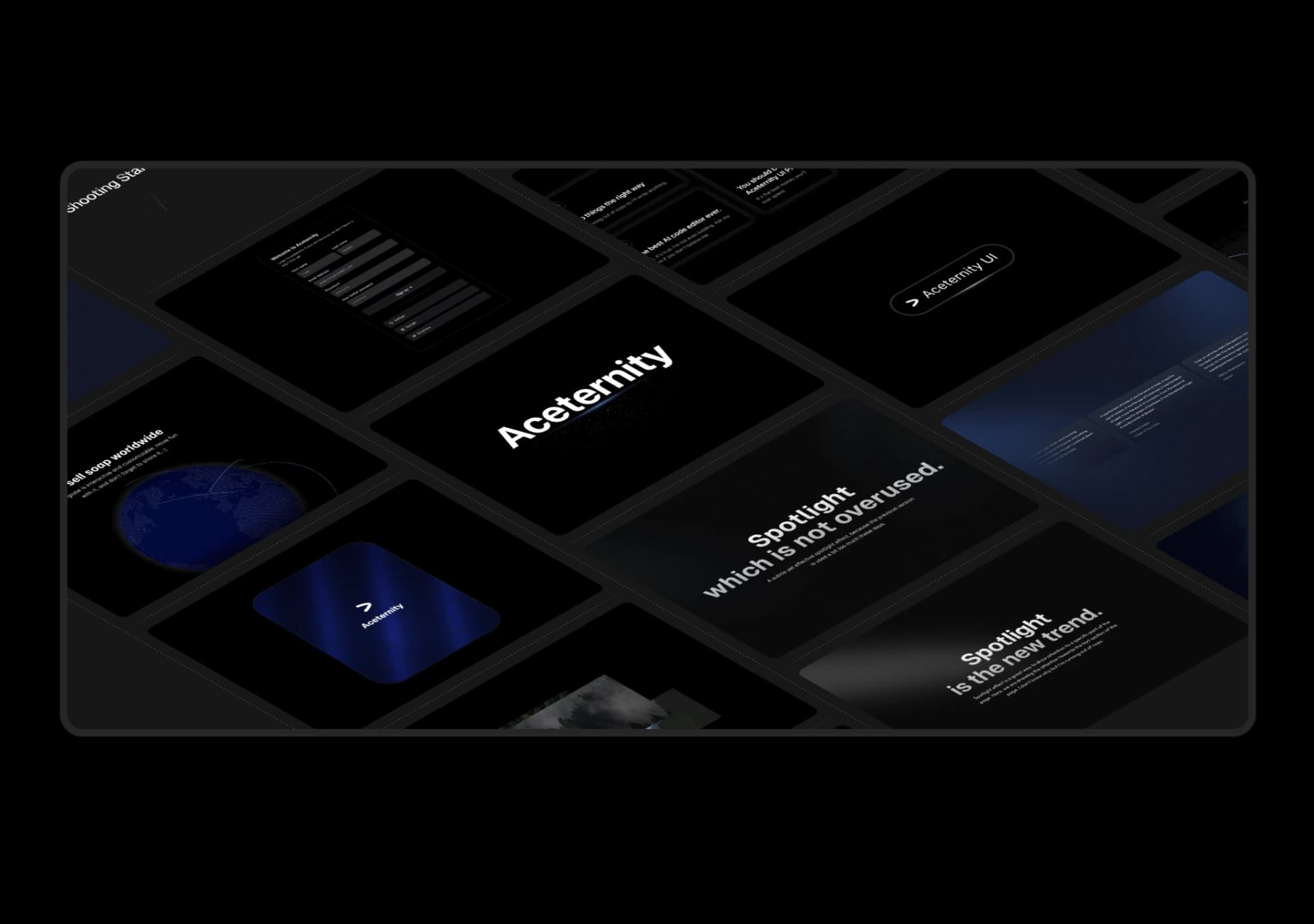
Copy this TSX component source into an AI coding tool such as Cursor, v0, or Claude, and tell it this is the Aceternity UI 3D Marquee component. It can then wire it into your React project, and you can swap the copy, colors, and trigger parameters to reuse it.
Prompt
// components/ui/3d-marquee.tsx "use client"; import { motion } from "motion/react"; import { cn } from "@/lib/utils"; export const ThreeDMarquee = ({ images, className, }: { images: string[]; className?: string; }) => { // Split the image…
Same creator
Each detail page keeps the original result, the prompt, and retest evidence in one reading path.