加载中…
创作者 · Aceternity UI
复刻提示词保留原文,另附运行环境、素材与验收要求;附加说明不是原作者原话。
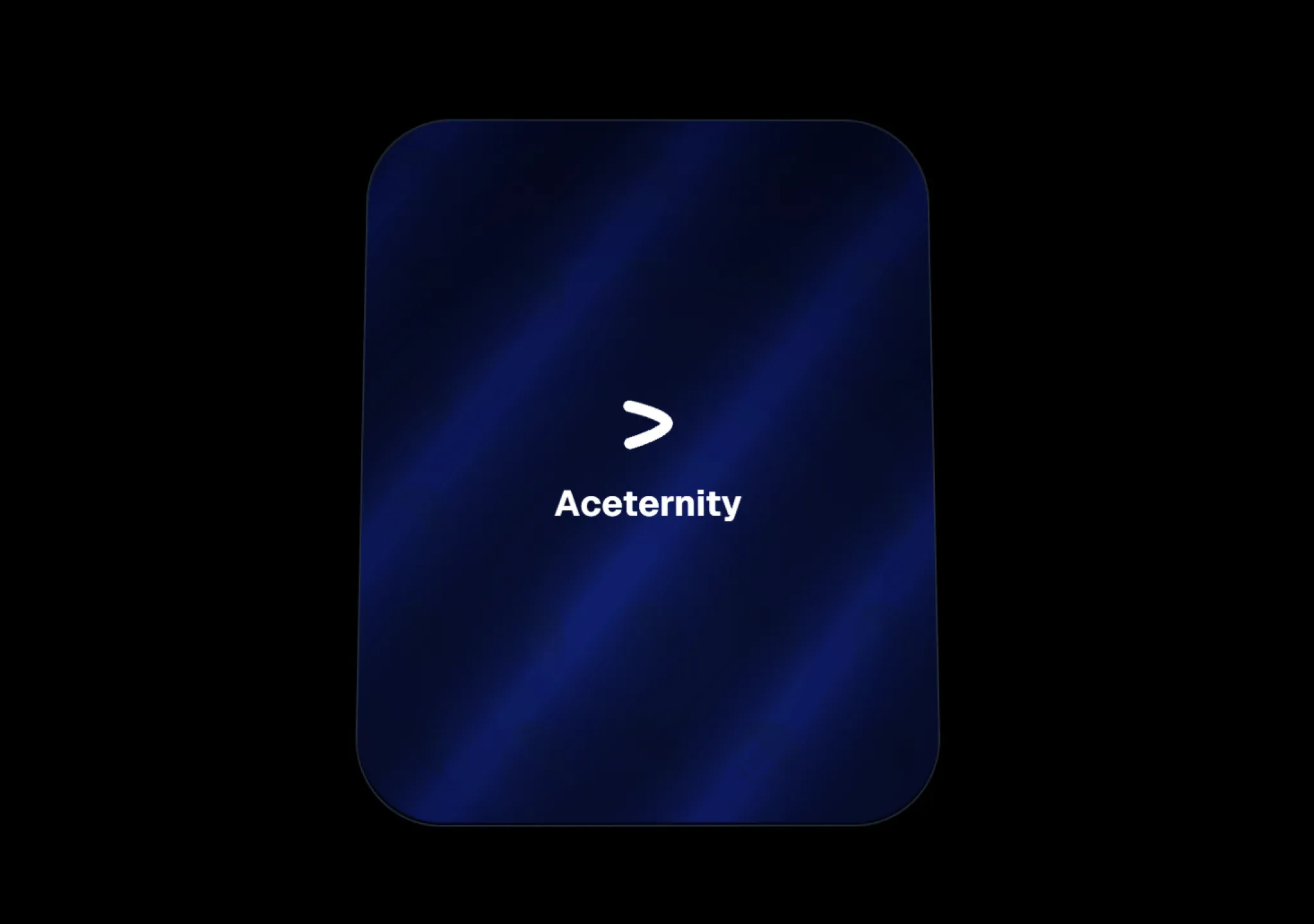
// components/ui/glare-card.tsx
"use client";
import { cn } from "@/lib/utils";
import { useRef } from "react";

export const GlareCard = ({
  children,
  className,
}: {
  children: React.ReactNode;
  className?: string;
}) => {
  const isPointerInside = useRef(false);
  const refElement = useRef<HTMLDivElement>(null);
  const state = useRef({
    glare: {
      x: 50,
      y: 50,
    },
    background: {
      x: 50,
      y: 50,
    },
    rotate: {
      x: 0,
      y: 0,
    },
  });
  const containerStyle = {
    "--m-x": "50%",
    "--m-y": "50%",
    "--r-x": "0deg",
    "--r-y": "0deg",
    "--bg-x": "50%",
    "--bg-y": "50%",
    "--duration": "300ms",
    "--foil-size": "100%",
    "--opacity": "0",
    "--radius": "48px",
    "--easing": "ease",
    "--transition": "var(--duration) var(--easing)",
  } as any;

  const backgroundStyle = {
    "--step": "5%",
    "--foil-svg": `url("data:image/svg+xml,%3Csvg width='26' height='26' viewBox='0 0 26 26' fill='none' xmlns='http://www.w3.org/2000/svg'%3E%3Cpath d='M2.99994 3.419C2.99994 3.419 21.6142 7.43646 22.7921 12.153C23.97 16.8695 3.41838 23.0306 3.41838 23.0306' stroke='white' stroke-width='5' stroke-miterlimit='3.86874' stroke-linecap='round' style='mix-blend-mode:darken'/%3E%3C/svg%3E")`,
    "--pattern": "var(--foil-svg) center/100% no-repeat",
    "--rainbow":
      "repeating-linear-gradient( 0deg,rgb(255,119,115) calc(var(--step) * 1),rgba(255,237,95,1) calc(var(--step) * 2),rgba(168,255,95,1) calc(var(--step) * 3),rgba(131,255,247,1) calc(var(--step) * 4),rgba(120,148,255,1) calc(var(--step) * 5),rgb(216,117,255) calc(var(--step) * 6),rgb(255,119,115) calc(var(--step) * 7) ) 0% var(--bg-y)/200% 700% no-repeat",
    "--diagonal":
      "repeating-linear-gradient( 128deg,#0e152e 0%,hsl(180,10%,60%) 3.8%,hsl(180,10%,60%) 4.5%,hsl(180,10%,60%) 5.2%,#0e152e 10%,#0e152e 12% ) var(--bg-x) var(--bg-y)/300% no-repeat",
    "--shade":
      "radial-gradient( farthest-corner circle at var(--m-x) var(--m-y),rgba(255,255,255,0.1) 12%,rgba(255,255,255,0.15) 20%,rgba(255,255,255,0.25) 120% ) var(--bg-x) var(--bg-y)/300% no-repeat",
    backgroundBlendMode: "hue, hue, hue, overlay",
  };

  const updateStyles = () => {
    if (refElement.current) {
      console.log(state.current);
      const { background, rotate, glare } = state.current;
      refElement.current?.style.setProperty("--m-x", `${glare.x}%`);
      refElement.current?.style.setProperty("--m-y", `${glare.y}%`);
      refElement.current?.style.setProperty("--r-x", `${rotate.x}deg`);
      refElement.current?.style.setProperty("--r-y", `${rotate.y}deg`);
      refElement.current?.style.setProperty("--bg-x", `${background.x}%`);
      refElement.current?.style.setProperty("--bg-y", `${background.y}%`);
    }
  };
  return (
    <div
      style={containerStyle}
      className="relative isolate [aspect-ratio:17/21] w-[320px] transition-transform delay-[var(--delay)] duration-[var(--duration)] ease-[var(--easing)] will-change-transform [contain:layout_style] [perspective:600px]"
      ref={refElement}
      onPointerMove={(event) => {
        const rotateFactor = 0.4;
        const rect = event.currentTarget.getBoundingClientRect();
        const position = {
          x: event.clientX - rect.left,
          y: event.clientY - rect.top,
        };
        const percentage = {
          x: (100 / rect.width) * position.x,
          y: (100 / rect.height) * position.y,
        };
        const delta = {
          x: percentage.x - 50,
          y: percentage.y - 50,
        };

        const { background, rotate, glare } = state.current;
        background.x = 50 + percentage.x / 4 - 12.5;
        background.y = 50 + percentage.y / 3 - 16.67;
        rotate.x = -(delta.x / 3.5);
        rotate.y = delta.y / 2;
        rotate.x *= rotateFactor;
        rotate.y *= rotateFactor;
        glare.x = percentage.x;
        glare.y = percentage.y;

        updateStyles();
      }}
      onPointerEnter={() => {
        isPointerInside.current = true;
        if (refElement.current) {
          setTimeout(() => {
            if (isPointerInside.current) {
              refElement.current?.style.setProperty("--duration", "0s");
            }
          }, 300);
        }
      }}
      onPointerLeave={() => {
        isPointerInside.current = false;
        if (refElement.current) {
          refElement.current.style.removeProperty("--duration");
          refElement.current?.style.setProperty("--r-x", `0deg`);
          refElement.current?.style.setProperty("--r-y", `0deg`);
        }
      }}
    >
      <div className="grid h-full origin-center [transform:rotateY(var(--r-x))_rotateX(var(--r-y))] overflow-hidden rounded-[var(--radius)] border border-slate-800 transition-transform delay-[var(--delay)] duration-[var(--duration)] ease-[var(--easing)] will-change-transform hover:filter-none hover:[--duration:200ms] hover:[--easing:linear] hover:[--opacity:0.6]">
        <div className="grid h-full w-full mix-blend-soft-light [clip-path:inset(0_0_0_0_round_var(--radius))] [grid-area:1/1]">
          <div className={cn("h-full w-full bg-slate-950", className)}>
            {children}
          </div>
        </div>
        <div className="transition-background will-change-background grid h-full w-full opacity-[var(--opacity)] mix-blend-soft-light transition-opacity delay-[var(--delay)] duration-[var(--duration)] ease-[var(--easing)] [background:radial-gradient(farthest-corner_circle_at_var(--m-x)_var(--m-y),_rgba(255,255,255,0.8)_10%,_rgba(255,255,255,0.65)_20%,_rgba(255,255,255,0)_90%)] [clip-path:inset(0_0_1px_0_round_var(--radius))] [grid-area:1/1]" />
        <div
          className="will-change-background after:grid-area-[inherit] after:bg-repeat-[inherit] after:bg-attachment-[inherit] after:bg-origin-[inherit] after:bg-clip-[inherit] relative grid h-full w-full opacity-[var(--opacity)] [background-blend-mode:hue_hue_hue_overlay] mix-blend-color-dodge transition-opacity [background:var(--pattern),_var(--rainbow),_var(--diagonal),_var(--shade)] [clip-path:inset(0_0_1px_0_round_var(--radius))] [grid-area:1/1] after:bg-[inherit] after:[background-size:var(--foil-size),_200%_400%,_800%,_200%] after:[background-position:center,_0%_var(--bg-y),_calc(var(--bg-x)*_-1)_calc(var(--bg-y)*_-1),_var(--bg-x)_var(--bg-y)] after:[background-blend-mode:soft-light,_hue,_hard-light] after:mix-blend-exclusion after:content-['']"
          style={{ ...backgroundStyle }}
        />
      </div>
    </div>
  );
};适用模型与稳定度
建议模型
多人复现
继续探索

复制这段 TSX 组件源码,交给 Cursor、v0、Claude 等 AI 编程工具,说明这是「3D Animated Pin」的 Aceternity UI 组件实现,即可让它接入你的 React 项目,再按需替换文案、配色与触发参数复用。
提示语
// components/ui/3d-pin.tsx "use client"; import React, { useState } from "react"; import { motion } from "motion/react"; import { cn } from "@/lib/utils"; export const PinContainer = ({ children, title, href, className, containerClassName…

复制这段 TSX 组件源码,交给 Cursor、v0、Claude 等 AI 编程工具,说明这是「3D Globe」的 Aceternity UI 组件实现,即可让它接入你的 React 项目,再按需替换文案、配色与触发参数复用。
提示语
// components/ui/3d-globe.tsx "use client"; import React, { useRef, useMemo, useState, useCallback, Suspense } from "react"; import { Canvas, useFrame, useThree } from "@react-three/fiber"; import { OrbitControls, Html, useTexture } from "…
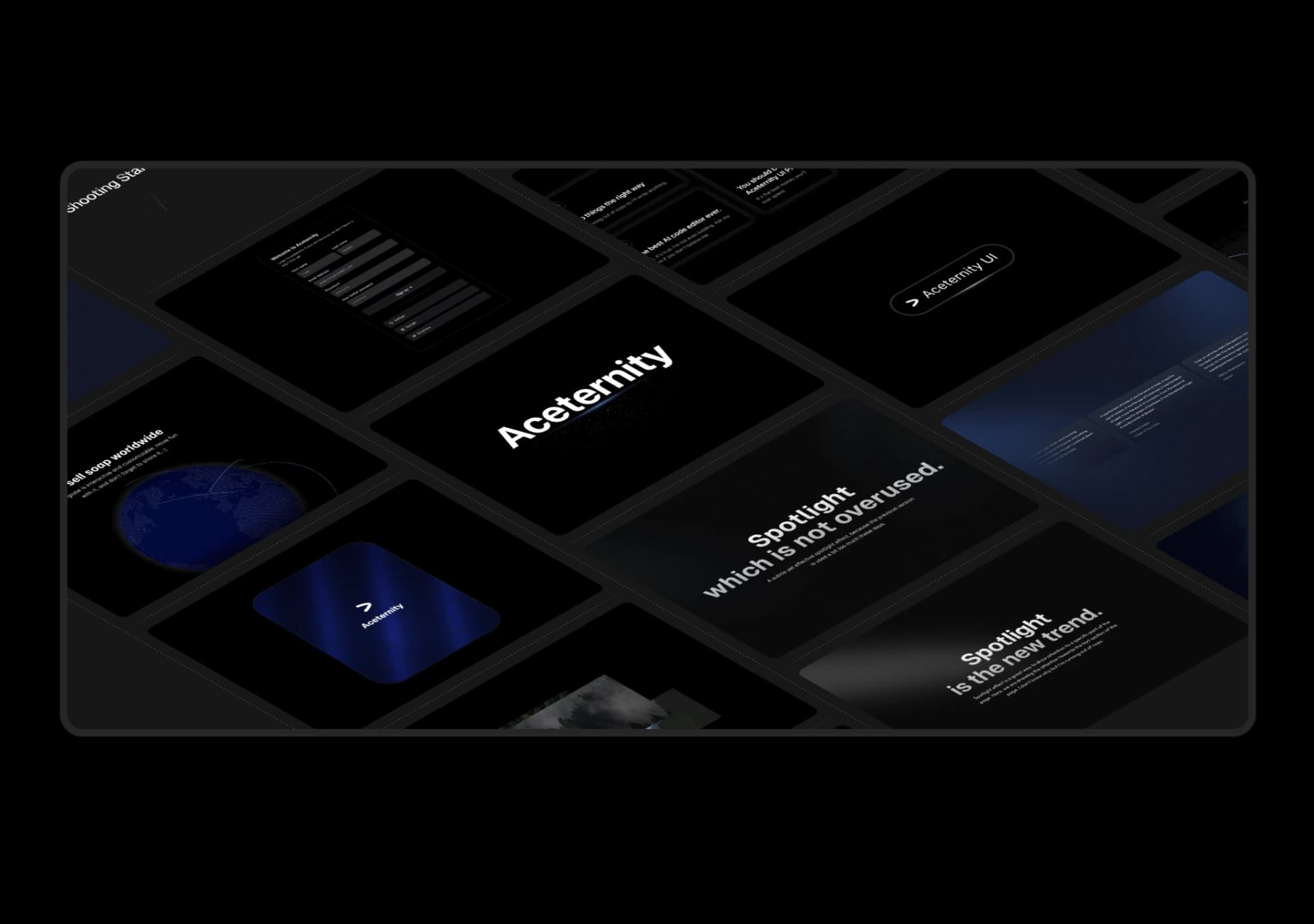
复制这段 TSX 组件源码,交给 Cursor、v0、Claude 等 AI 编程工具,说明这是「3D Marquee」的 Aceternity UI 组件实现,即可让它接入你的 React 项目,再按需替换文案、配色与触发参数复用。
提示语
// components/ui/3d-marquee.tsx "use client"; import { motion } from "motion/react"; import { cn } from "@/lib/utils"; export const ThreeDMarquee = ({ images, className, }: { images: string[]; className?: string; }) => { // Split the image…
Case 详情页把原帖效果、Prompt 与复测证据放在同一条阅读路径里。