Loading…
Loading…
Creator · Aceternity UI
The reproduction prompt keeps the original and adds runtime, asset and acceptance requirements. These additions are not the author’s words.
// components/ui/dotted-glow-background.tsx
"use client";

import React, { useEffect, useRef, useState } from "react";

type DottedGlowBackgroundProps = {
  className?: string;
  /** distance between dot centers in pixels */
  gap?: number;
  /** base radius of each dot in CSS px */
  radius?: number;
  /** dot color (will pulse by alpha) */
  color?: string;
  /** optional dot color for dark mode */
  darkColor?: string;
  /** shadow/glow color for bright dots */
  glowColor?: string;
  /** optional glow color for dark mode */
  darkGlowColor?: string;
  /** optional CSS variable name for light dot color (e.g. --color-zinc-900) */
  colorLightVar?: string;
  /** optional CSS variable name for dark dot color (e.g. --color-zinc-100) */
  colorDarkVar?: string;
  /** optional CSS variable name for light glow color */
  glowColorLightVar?: string;
  /** optional CSS variable name for dark glow color */
  glowColorDarkVar?: string;
  /** global opacity for the whole layer */
  opacity?: number;
  /** background radial fade opacity (0 = transparent background) */
  backgroundOpacity?: number;
  /** minimum per-dot speed in rad/s */
  speedMin?: number;
  /** maximum per-dot speed in rad/s */
  speedMax?: number;
  /** global speed multiplier for all dots */
  speedScale?: number;
};

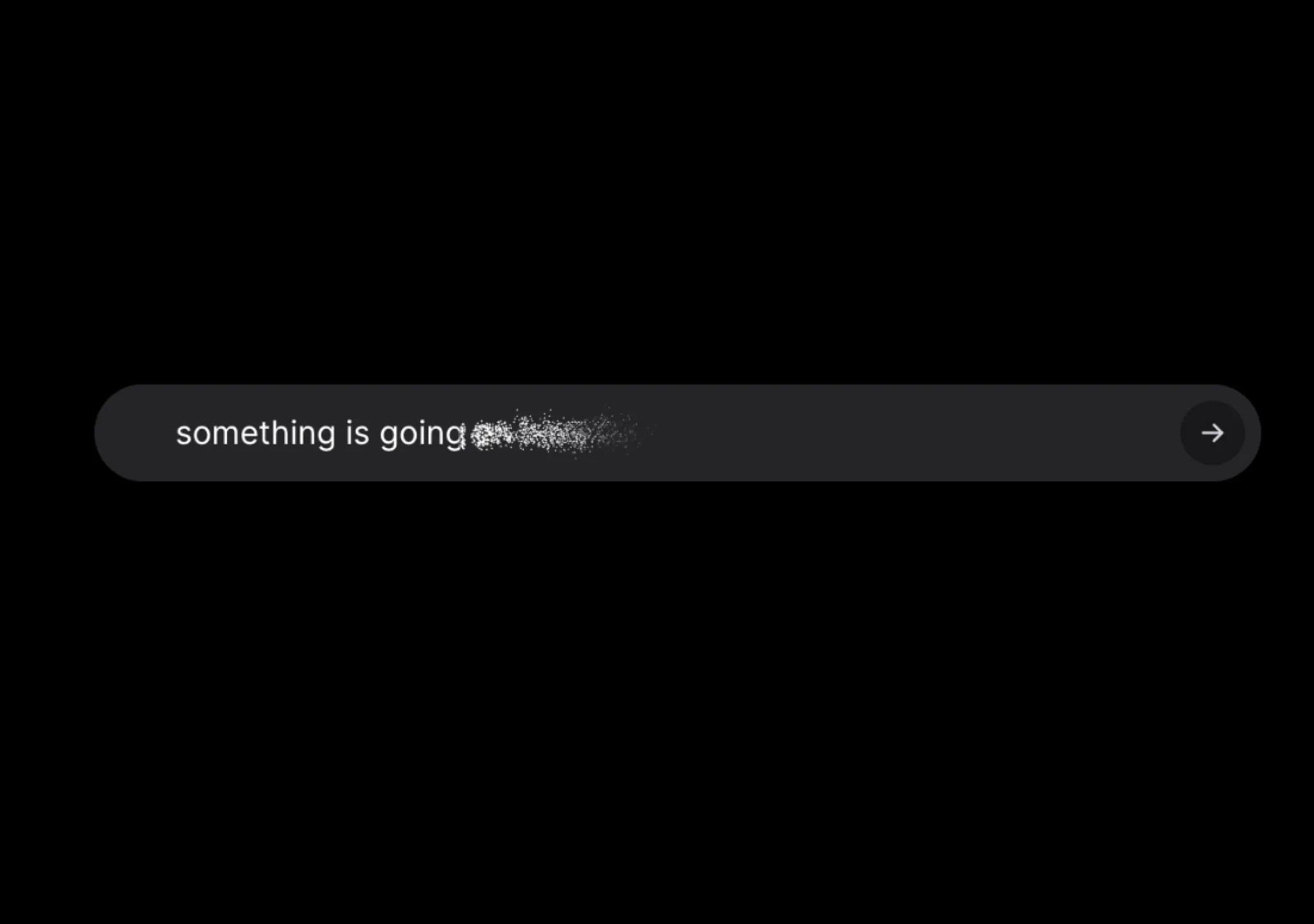
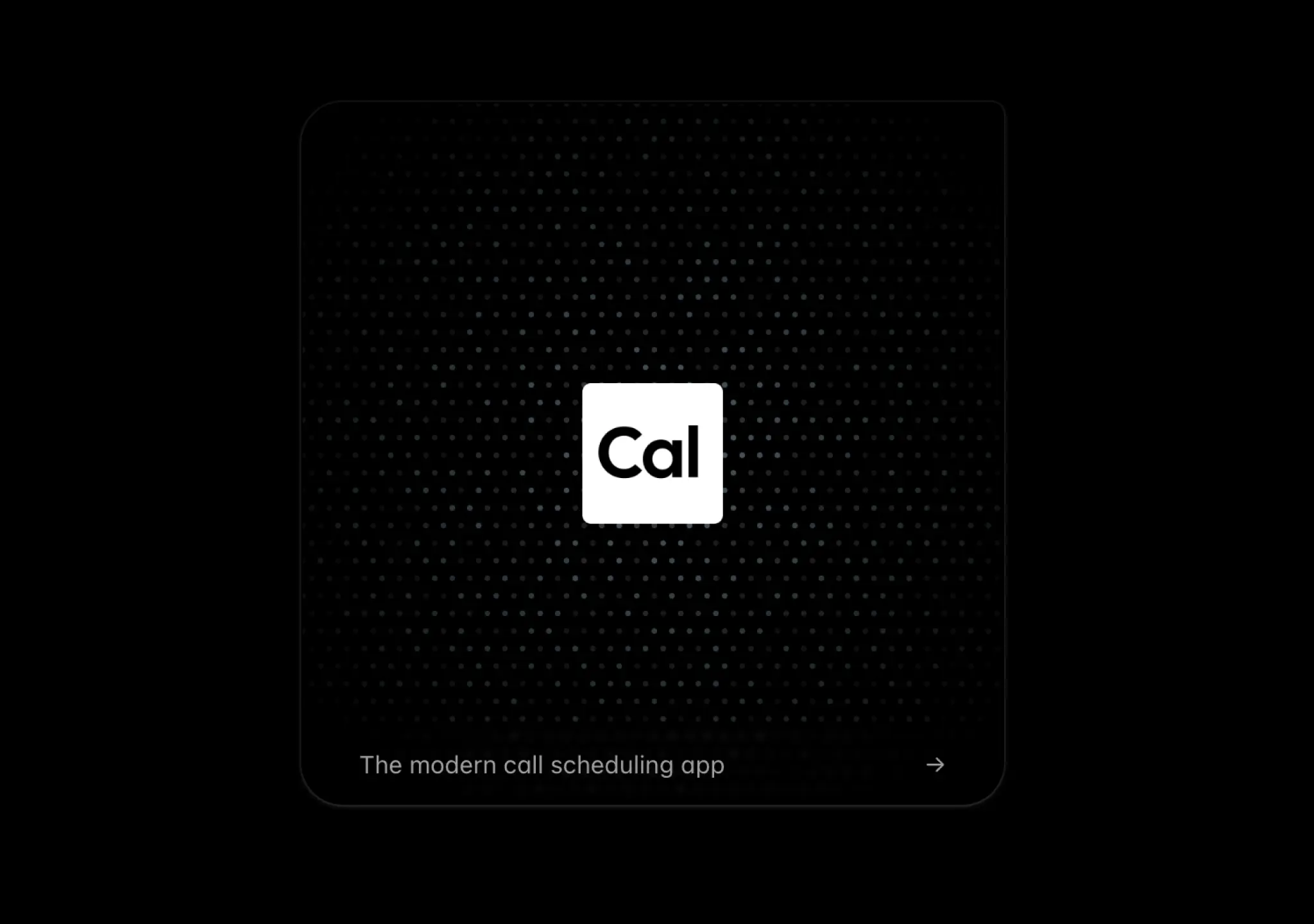
/**
 * Canvas-based dotted background that randomly glows and dims.
 * - Uses a stable grid of dots.
 * - Each dot gets its own phase + speed producing organic shimmering.
 * - Handles high-DPI and resizes via ResizeObserver.
 */
export const DottedGlowBackground = ({
  className,
  gap = 12,
  radius = 2,
  color = "rgba(0,0,0,0.7)",
  darkColor,
  glowColor = "rgba(0, 170, 255, 0.85)",
  darkGlowColor,
  colorLightVar,
  colorDarkVar,
  glowColorLightVar,
  glowColorDarkVar,
  opacity = 0.6,
  backgroundOpacity = 0,
  speedMin = 0.4,
  speedMax = 1.3,
  speedScale = 1,
}: DottedGlowBackgroundProps) => {
  const canvasRef = useRef<HTMLCanvasElement | null>(null);
  const containerRef = useRef<HTMLDivElement | null>(null);
  const [resolvedColor, setResolvedColor] = useState<string>(color);
  const [resolvedGlowColor, setResolvedGlowColor] = useState<string>(glowColor);

  // Resolve CSS variable value from the container or root
  const resolveCssVariable = (
    el: Element,
    variableName?: string,
  ): string | null => {
    if (!variableName) return null;
    const normalized = variableName.startsWith("--")
      ? variableName
      : `--${variableName}`;
    const fromEl = getComputedStyle(el as Element)
      .getPropertyValue(normalized)
      .trim();
    if (fromEl) return fromEl;
    const root = document.documentElement;
    const fromRoot = getComputedStyle(root).getPropertyValue(normalized).trim();
    return fromRoot || null;
  };

  const detectDarkMode = (): boolean => {
    const root = document.documentElement;
    if (root.classList.contains("dark")) return true;
    if (root.classList.contains("light")) return false;
    return (
      window.matchMedia &&
      window.matchMedia("(prefers-color-scheme: dark)").matches
    );
  };

  // Keep resolved colors in sync with theme changes and prop updates
  useEffect(() => {
    const container = containerRef.current ?? document.documentElement;

    const compute = () => {
      const isDark = detectDarkMode();

      let nextColor: string = color;
      let nextGlow: string = glowColor;

      if (isDark) {
        const varDot = resolveCssVariable(container, colorDarkVar);
        const varGlow = resolveCssVariable(container, glowColorDarkVar);
        nextColor = varDot || darkColor || nextColor;
        nextGlow = varGlow || darkGlowColor || nextGlow;
      } else {
        const varDot = resolveCssVariable(container, colorLightVar);
        const varGlow = resolveCssVariable(container, glowColorLightVar);
        nextColor = varDot || nextColor;
        nextGlow = varGlow || nextGlow;
      }

      setResolvedColor(nextColor);
      setResolvedGlowColor(nextGlow);
    };

    compute();

    const mql = window.matchMedia
      ? window.matchMedia("(prefers-color-scheme: dark)")
      : null;
    const handleMql = () => compute();
    mql?.addEventListener?.("change", handleMql);

    const mo = new MutationObserver(() => compute());
    mo.observe(document.documentElement, {
      attributes: true,
      attributeFilter: ["class", "style"],
    });

    return () => {
      mql?.removeEventListener?.("change", handleMql);
      mo.disconnect();
    };
  }, [
    color,
    darkColor,
    glowColor,
    darkGlowColor,
    colorLightVar,
    colorDarkVar,
    glowColorLightVar,
    glowColorDarkVar,
  ]);

  useEffect(() => {
    const el = canvasRef.current;
    const container = containerRef.current;
    if (!el || !container) return;

    const ctx = el.getContext("2d");
    if (!ctx) return;

    let raf = 0;
    let stopped = false;
    let isVisible = true;

    const dpr = Math.min(Math.max(1, window.devicePixelRatio || 1), 2);

    const resize = () => {
      const { width, height } = container.getBoundingClientRect();
      el.width = Math.max(1, Math.floor(width * dpr));
      el.height = Math.max(1, Math.floor(height * dpr));
      el.style.width = `${Math.floor(width)}px`;
      el.style.height = `${Math.floor(height)}px`;
      ctx.setTransform(dpr, 0, 0, dpr, 0, 0);
    };

    const ro = new ResizeObserver(resize);
    ro.observe(container);
    resize();

    // Precompute dot metadata for a medium-sized grid and regenerate on resize
    let dots: { x: number; y: number; phase: number; speed: number }[] = [];

    const regenDots = () => {
      dots = [];
      const { width, height } = container.getBoundingClientRect();
      const cols = Math.ceil(width / gap) + 2;
      const rows = Math.ceil(height / gap) + 2;
      const min = Math.min(speedMin, speedMax);
      const max = Math.max(speedMin, speedMax);
      for (let i = -1; i < cols; i++) {
        for (let j = -1; j < rows; j++) {
          const x = i * gap + (j % 2 === 0 ? 0 : gap * 0.5); // offset every other row
          const y = j * gap;
          // Randomize phase and speed slightly per dot
          const phase = Math.random() * Math.PI * 2;
          const span = Math.max(max - min, 0);
          const speed = min + Math.random() * span; // configurable rad/s
          dots.push({ x, y, phase, speed });
        }
      }
    };

    const regenThrottled = () => {
      regenDots();
    };

    regenDots();

    let last = performance.now();

    const draw = (now: number) => {
      if (stopped) return;
      if (!isVisible) {
        raf = requestAnimationFrame(draw);
        return;
      }
      const dt = (now - last) / 1000; // seconds
      last = now;
      const { width, height } = container.getBoundingClientRect();

      ctx.clearRect(0, 0, el.width, el.height);
      ctx.globalAlpha = opacity;

      // optional subtle background fade for depth (defaults to 0 = transparent)
      if (backgroundOpacity > 0) {
        const grad = ctx.createRadialGradient(
          width * 0.5,
          height * 0.4,
          Math.min(width, height) * 0.1,
          width * 0.5,
          height * 0.5,
          Math.max(width, height) * 0.7,
        );
        grad.addColorStop(0, "rgba(0,0,0,0)");
        grad.addColorStop(
          1,
          `rgba(0,0,0,${Math.min(Math.max(backgroundOpacity, 0), 1)})`,
        );
        ctx.fillStyle = grad as unknown as CanvasGradient;
        ctx.fillRect(0, 0, width, height);
      }

      // animate dots
      ctx.save();
      ctx.fillStyle = resolvedColor;

      const time = (now / 1000) * Math.max(speedScale, 0);
      for (let i = 0; i < dots.length; i++) {
        const d = dots[i];
        // Linear triangle wave 0..1..0 for linear glow/dim
        const mod = (time * d.speed + d.phase) % 2;
        const lin = mod < 1 ? mod : 2 - mod; // 0..1..0
        const a = 0.25 + 0.55 * lin; // 0.25..0.8 linearly

        // draw glow when bright
        if (a > 0.6) {
          const glow = (a - 0.6) / 0.4; // 0..1
          ctx.shadowColor = resolvedGlowColor;
          ctx.shadowBlur = 6 * glow;
        } else {
          ctx.shadowColor = "transparent";
          ctx.shadowBlur = 0;
        }

        ctx.globalAlpha = a * opacity;
        ctx.beginPath();
        ctx.arc(d.x, d.y, radius, 0, Math.PI * 2);
        ctx.fill();
      }
      ctx.restore();

      raf = requestAnimationFrame(draw);
    };

    const handleResize = () => {
      resize();
      regenThrottled();
    };

    const observer = new IntersectionObserver(
      (entries) => {
        isVisible = entries[0]?.isIntersecting ?? true;
      },
      { threshold: 0.1 },
    );
    observer.observe(container);

    window.addEventListener("resize", handleResize);
    raf = requestAnimationFrame(draw);

    return () => {
      stopped = true;
      cancelAnimationFrame(raf);
      window.removeEventListener("resize", handleResize);
      observer.disconnect();
      ro.disconnect();
    };
  }, [
    gap,
    radius,
    resolvedColor,
    resolvedGlowColor,
    opacity,
    backgroundOpacity,
    speedMin,
    speedMax,
    speedScale,
  ]);

  return (
    <div
      ref={containerRef}
      className={className}
      style={{ position: "absolute", inset: 0 }}
    >
      <canvas
        ref={canvasRef}
        style={{ display: "block", width: "100%", height: "100%" }}
      />
    </div>
  );
};Models & stability
Recommended models
Independent reproductions
 Open reproduction ↗
GLM-5.3 单次生成;Codex 人工修复运行依赖、必要源码及移动布局,未重新生成。桌面/手机真实渲染和资源检查通过;完整功能与视觉还原尚未全部验收。源码、截图和修复记录见复现出处。
Reproduction source ↗Keep exploring

Copy this TSX component source into an AI coding tool such as Cursor, v0, or Claude, and tell it this is the Aceternity UI 3D Animated Pin component. It can then wire it into your React project, and you can swap the copy, colors, and trigger parameters to reuse it.
Prompt
// components/ui/3d-pin.tsx "use client"; import React, { useState } from "react"; import { motion } from "motion/react"; import { cn } from "@/lib/utils"; export const PinContainer = ({ children, title, href, className, containerClassName…

Copy this TSX component source into an AI coding tool such as Cursor, v0, or Claude, and tell it this is the Aceternity UI 3D Globe component. It can then wire it into your React project, and you can swap the copy, colors, and trigger parameters to reuse it.
Prompt
// components/ui/3d-globe.tsx "use client"; import React, { useRef, useMemo, useState, useCallback, Suspense } from "react"; import { Canvas, useFrame, useThree } from "@react-three/fiber"; import { OrbitControls, Html, useTexture } from "…
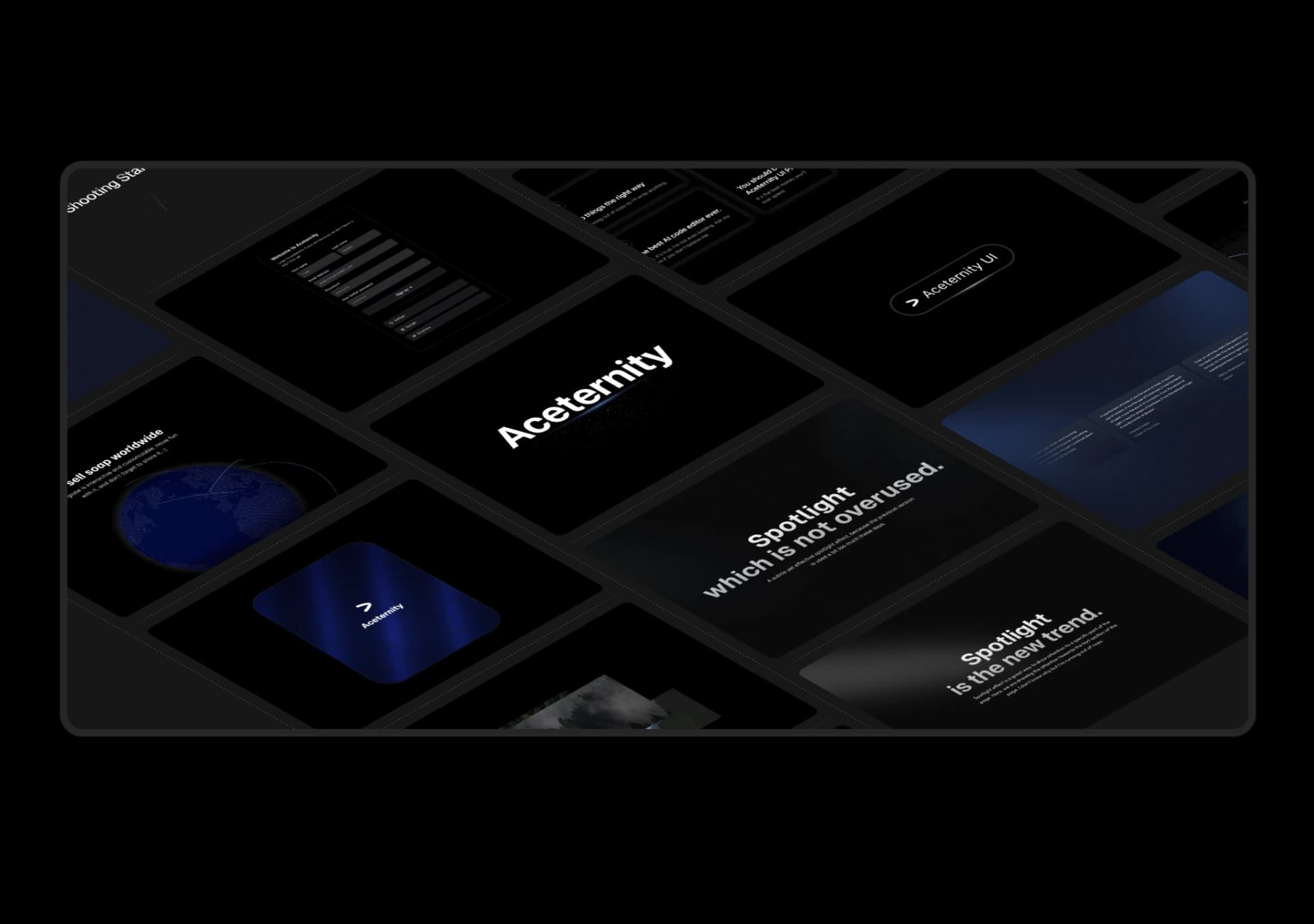
Copy this TSX component source into an AI coding tool such as Cursor, v0, or Claude, and tell it this is the Aceternity UI 3D Marquee component. It can then wire it into your React project, and you can swap the copy, colors, and trigger parameters to reuse it.
Prompt
// components/ui/3d-marquee.tsx "use client"; import { motion } from "motion/react"; import { cn } from "@/lib/utils"; export const ThreeDMarquee = ({ images, className, }: { images: string[]; className?: string; }) => { // Split the image…
Same creator
Each detail page keeps the original result, the prompt, and retest evidence in one reading path.