Loading…
Creator · Sun
View original source ↗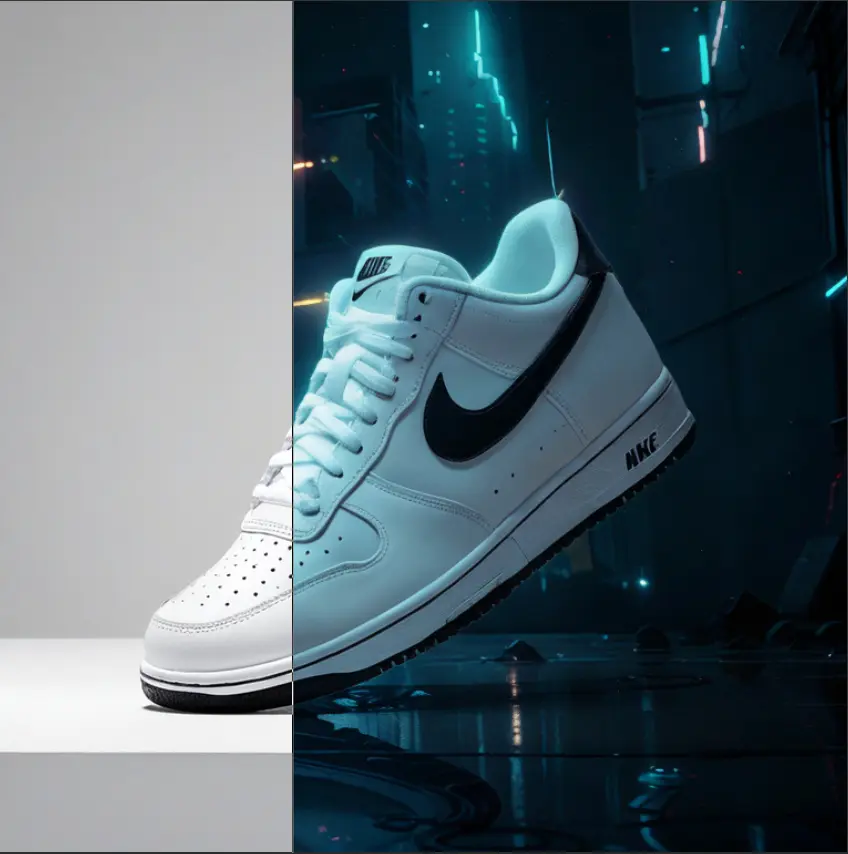
Prompt
Workflow introduction

Remastered from: alansun
Workflow source: https://openart.ai/workflows/alansyn/easy product relight/XdzTNRbqi1kMYpNjuFWm
Product shadow and light poster drawing based on Brushnet IC Light, convenient and easy to use.
By configuring different parameter switches, two mode paths are supported:
Basic Mode : Suitable for scenes with simple background elements, controlling the background and light-shadow types through prompts
Advanced Mode : Suitable for scenarios requiring more precise control, using precise prompts or style reference images as input, and using brushnet for background redrawing

Configuration Parameter Description
1. Basic Prompt : Used to describe the product type, such as 1shoe
2. Light-Shadow Prompt : Used to describe the type of light-shadow, can also add background descriptions, such as sunshine light, river background
3. Product Image : Product material image that needs lighting, right-click and select `Open MaskEditor` to draw the lighting mask
4. Style Image : Reference image for redrawing the background in advanced mode, only effective when IP Adapter is enabled
5. Group Switch : Mode selection and whether to enable IP Adapter
6. Custom Light Mask : Customizable mask xy position in the LightMask Group
Models & stability
Recommended models
Independent retest evidence
Sep 2, 2026

The requested model is recorded, but the generation receipt did not expose a verifiable underlying model ID.
Aug 9, 2026

The requested model is recorded, but the generation receipt did not expose a verifiable underlying model ID.
Keep exploring

Workflow Introduction: This is a workflow for creating product posters with astonishingly good results. It can completely replicate your product and then reference the style of the background you want to use, combining the two to finally form a beautiful poster. In our work, we may encounter requirements to create posters and effect displays for a product. The most important thing to note in this requirement is that the product must not change and must blend very naturally with the background image. Of course, if you have advanced PS skills, you can certainly use PS for creation. However, PS is heavily dependent on materials, and if you are not very satisfied with the materials, you can use this workflow to draft your poster. Workflow Idea: First, process the product image by resizing it proportionally to a width of 1024, then cut out the product and create a mask for it. Next, perform …
Prompt
Workflow Introduction: This is a workflow for creating product posters with astonishingly good results. It can completely replicate your product and then reference the style of the background you want to use, combining the two to finally f…

A detailed prompt for generating a whimsical alphabet set in a 1970s graphic style, featuring playful rounded lettering, bold outlines, and bright soft-toned decorations.
Prompt
A collection of alphabet letters, {argument name="letters" default="A through Z"} and decorative elements are arranged in rows against a {argument name="background color" default="

A prompt requesting a specific composition: a photo featuring two people, Sam and Ilya, and a dog. The specified style is “2000s film-camera style,” with the mood “looking very bored at a children’s birthday party.”
Prompt
Combine the two men (Sam & Ilya) and the dog in a 2000s film camera-style photo of them looking bored at a kids birthday party.


